<?xml version="1.0" encoding="utf-8"?>
    <feed xmlns="http://www.w3.org/2005/Atom">
     <title>NeetoCal Blog</title>
     <link href="https://www.neeto.com/neetocal/blog/feed.xml" rel="self"/>
     <link href="https://www.neeto.com/neetocal/blog"/>
     <updated>2026-06-04T01:10:18Z</updated>
     <id>https://www.neeto.com/neetocal/blog</id>
     <entry>
       <title><![CDATA[April 2026 updates - Dodo Payments integration, audit logs and more]]></title>
       <author><name>Kirti Gulati</name></author>
      <link href="https://www.neeto.com/neetocal/blog/april-2026-updates-dodo-payments-audit-logs-and-more"/>
      <updated>2026-05-05T18:30:00Z</updated>
      <id>https://www.neeto.com/neetocal/blog/april-2026-updates-dodo-payments-audit-logs-and-more</id>
      <content type="html"><![CDATA[<p>In the month of April in <a target="_self" rel="noopener noreferrer nofollow" class="link" href="https://neetocal.com/neetocal">NeetoCal</a>, we focused on expanding payment options, strengthening calendar and integration coverage, hardening spam protection, and refining automations, packages, and notification controls.</p><p>Here's everything we shipped in April 2026 in NeetoCal.</p><h2><strong>New features🚀</strong></h2><h4><strong>Added Dodo Payments as a payment provider</strong></h4><p>We added <a target="_self" rel="noreferrer" class="text-[var(--accent)] hover:underline underline-offset-[1px] outline-none hide-focus-ring ring-focus rounded-r2 link" href="https://neetocalhelp.neetokb.com/articles/dodopayments-integration">Dodo Payments</a> as a new payment provider in NeetoCal. If you use Dodo Payments to collect payments for your meetings, you can now connect your Dodo account and accept payments directly through your scheduling links. Dodo also supports recurring meetings out of the box, so you can use it for paid one-time sessions as well as ongoing engagements. This expands payment options beyond Stripe, Razorpay, and PayPal.</p><h4><strong>Booking-based limits for packages</strong></h4><p>You can now set the <a target="_self" rel="noopener noreferrer nofollow" class="link" href="https://neetocalhelp.neetokb.com/articles/packages">package limit</a> based on the number of bookings instead of just session duration. This is useful for coaches, tutors, and consultants who sell packages as "5 sessions" or "10 sessions" rather than "5 hours." Clients see exactly how many bookings remain on their package, and they're prevented from over-booking once the limit is reached.</p><h4><strong>Workspace-level "Send emails from your domain"</strong></h4><p>Previously, configuring "Send emails from your domain" had to be done per scheduling link. You can now <a target="_self" rel="noopener noreferrer nofollow" class="link" href="https://neetocalhelp.neetokb.com/articles/send-emails-from-your-domain">configure it once at the workspace level</a> so every scheduling link in the workspace inherits the setting. This makes it much easier for teams to maintain a consistent sender domain across all their bookings without revisiting each scheduling link. </p><h2><strong>Enhancements✨</strong></h2><h4><strong> Select all scheduling links in automation rule</strong></h4><p>Previously, applying an <a target="_self" rel="noopener noreferrer nofollow" class="link" href="https://neetocalhelp.neetokb.com/articles/automation-rule">automation rule</a> to many scheduling links meant ticking each one individually. We added a quick "select all" option in the scheduling links picker, so you can apply a rule to every link in the workspace in a single click and exclude individual links from there if needed.</p><h4><strong>Audit logs for integrations</strong></h4><p>We extended <a target="_self" rel="noopener noreferrer nofollow" class="link" href="https://neetocalhelp.neetokb.com/articles/audit-logs">audit logs</a> to cover all integrations. Whenever an integration is connected, disconnected, or modified, an entry is recorded in the audit log with who did it and when. This gives admins full visibility into integration changes, which is especially helpful for compliance reviews and troubleshooting. </p><h4><strong>Free/Busy sync for iCloud calendar</strong></h4><p>NeetoCal now reads free/busy information from connected <a target="_self" rel="noopener noreferrer nofollow" class="link" href="https://help.neetocal.com/articles/icloud-calendar-integration#:~:text=icloud">iCloud calendars</a>, similar to how it works with Google Calendar and Outlook. This means events on your iCloud calendar will block availability on your scheduling links automatically, preventing double bookings for users who rely on Apple's calendar ecosystem. </p><h4><strong>Send automation emails as plain text</strong></h4><p>Automation rules now include an option to send the email as <a target="_self" rel="noopener noreferrer nofollow" class="link" href="https://help.neetocal.com/articles/send-email-in-plain-text">plain text</a> instead of HTML. This is useful when you want emails to feel more personal, avoid spam filters that flag heavily formatted messages, or keep the email lightweight. </p><h4><strong>Permission for managing Google Tag Manager</strong></h4><p>We added a dedicated <a target="_self" rel="noopener noreferrer nofollow" class="link" href="https://neetocalhelp.neetokb.com/articles/roles-and-permissions#:~:text=roles">permission</a> for managing Google Tag Manager. Admins can now grant access to GTM configuration without granting full workspace administrator rights, making it easier to delegate marketing and analytics work to the right team members. </p><h4><strong>Video link options based on the host's connected integrations</strong></h4><p>When configuring a scheduling link for another host, the available <a target="_self" rel="noopener noreferrer nofollow" class="link" href="https://neetocalhelp.neetokb.com/articles/video-links-and-meeting-place">video tools</a> (Zoom, Google Meet, MS Teams, etc.) are now based on the host's connected integrations rather than the logged-in user's. Previously, an admin setting up a link for a teammate could see options the teammate hadn't actually connected, which led to broken video links at booking time.</p><h4><strong>Display SPF and DKIM record values for custom email providers</strong></h4><p>The <a target="_self" rel="noopener noreferrer nofollow" class="link" href="https://neetocalhelp.neetokb.com/articles/send-email-from-custom-email-provider">custom email provider</a> configuration page now shows the exact SPF IP/CIDR and DKIM record values you need to add to your DNS. Previously you had to go look these up separately, which slowed down setup. Now you can copy them straight from the page. </p><h4><strong>Improved experience when a package code can't be applied</strong></h4><p>When a client tries to use a package code that doesn't apply to the selected scheduling link or has expired, NeetoCal now shows a clear, specific reason instead of a generic error. This reduces confusion at the booking step and shortens back-and-forth between clients and hosts. </p><h4><strong>Connect-payment modal in Packages</strong></h4><p>Earlier, when a payment provider wasn't connected, the package payment fields were simply disabled with no clear next step. Now, clicking on those fields opens the connect-payment modal directly, so you can hook up Stripe, Razorpay, PayPal, or Dodo and continue without leaving the page. </p><h4><strong>Tooltips and reorganized categories on the permissions page</strong></h4><p>The <a target="_self" rel="noopener noreferrer nofollow" class="link" href="https://neetocalhelp.neetokb.com/articles/roles-and-permissions#:~:text=roles">permissions page</a> now includes tooltips that explain what each permission controls, and related permissions are grouped into clearer categories. This makes it much easier for admins to assign the right level of access without trial and error. </p><h4><strong>Notification preferences — checkboxes instead of toggles</strong></h4><p>We replaced the toggle switches on the <a target="_self" rel="noopener noreferrer nofollow" class="link" href="https://neetocalhelp.neetokb.com/articles/notification-preferences">Notification preferences</a> page with checkboxes. Checkboxes are easier to scan in long lists and make multi-select behaviour clearer, so users can quickly review and adjust which notifications they want to receive. </p><h4><strong>SMS integration enhancements</strong></h4><p>We made several improvements to the SMS integration, including better handling of phone-number formats and clearer error messages when SMS delivery fails. This results in higher SMS deliverability and easier troubleshooting for hosts who rely on text reminders. </p><h4><strong>Email-delivery integration change notifications</strong></h4><p>Whenever a workspace's email delivery integration changes — for example, switching from the default to a custom SMTP provider — NeetoCal now sends an intimation email to admins. This makes accidental or unauthorized changes easier to catch. </p><h4><strong>Phone number is now mandatory for Razorpay recurring meetings</strong></h4><p>When using Razorpay for <a target="_self" rel="noopener noreferrer nofollow" class="link" href="https://neetocalhelp.neetokb.com/articles/recurring-meetings">recurring meetings</a>, the phone number field is now required. Razorpay needs the phone number to set up recurring charges, so making it mandatory upfront prevents failed charges later. </p><h4><strong>Slack disconnection correctly reflected in the UI</strong></h4><p>When a <a target="_self" rel="noopener noreferrer nofollow" class="link" href="https://neetocalhelp.neetokb.com/articles/slack-integration">Slack account</a> expired, the UI was still showing it as connected even though the integration was effectively broken. Slack disconnections are now reflected immediately in the UI so you can reconnect before notifications start failing. </p><h4><strong>Payment integrations invalidate automatically on disconnect</strong></h4><p>When a payment provider disconnects (token expiry, revoked access, etc.), NeetoCal now automatically invalidates the integration instead of leaving it in a stale "connected" state. This prevents bookings from failing silently at the payment step.</p><h4><strong>Member availabilities pane now matches Host tab order</strong></h4><p>In multi-host meetings, the order of members in the availabilities pane now matches the order shown on the Host tab. Earlier, the two lists could appear in different orders, which made it harder to map availability back to specific hosts. </p><h4><strong>Block personal accounts when connecting Microsoft Teams</strong></h4><p>Connecting <a target="_self" rel="noopener noreferrer nofollow" class="link" href="https://neetocalhelp.neetokb.com/articles/microsoft-teams-integration">MS Teams</a> now blocks personal Microsoft accounts and only allows work/school accounts. Personal accounts can't generate proper Teams meeting links for organization use, so blocking them upfront prevents broken video links after booking. </p><h4><strong>Cancelled bookings no longer block availability slots</strong></h4><p>We fixed a caching bug where slots from cancelled bookings could continue to appear as taken for a short period after cancellation. Slots now free up immediately when a booking is cancelled. </p><h4><strong>Removed "Your meeting is free" wording for non-paid meetings</strong></h4><p>For meetings that don't have payment configured at all, we removed the "Your meeting is free" copy from the booking page since it was implying the meeting <em>could have</em> been paid. The booking page now simply omits any payment-related messaging.</p><p>That's everything we shipped in April! Follow us on <a target="_self" rel="noopener noreferrer nofollow" class="link" href="https://twitter.com/neetocal">X (Twitter)</a> for the latest updates, or join our <a target="_self" rel="noopener noreferrer nofollow" class="link" href="https://neetocommunity.slack.com/archives/C05BTHYPMEV">Slack community</a> to share feedback and feature requests. See you next month!</p>]]></content>
    </entry><entry>
       <title><![CDATA[March 2026 updates - PayPal integration, upfront payments for recurring meetings and more]]></title>
       <author><name>Kirti Gulati</name></author>
      <link href="https://www.neeto.com/neetocal/blog/march-2026-updates-paypal-integration-upfront-payments-for-recurring-meetings-and-more"/>
      <updated>2026-04-06T18:30:00Z</updated>
      <id>https://www.neeto.com/neetocal/blog/march-2026-updates-paypal-integration-upfront-payments-for-recurring-meetings-and-more</id>
      <content type="html"><![CDATA[<div class="neeto-editor__image-wrapper neeto-editor__image--left neeto-editor__image--bordered"><figure><a href="https://ik.imagekit.io/d9mvewbju/Publish/NeetoCal_UZNsUq13N.png" target="_blank" rel="noopener noreferrer" class="neeto-editor__image" style="height:376px;width:717px;display:inline-block;pointer-events:none;"><img src="https://ik.imagekit.io/d9mvewbju/Publish/NeetoCal_UZNsUq13N.png" alt="NeetoCal_UZNsUq13N.png" figheight="376" figwidth="717" align="left" border="true" draggable="false" contenteditable="false" data-border="true"></a><figcaption style="width:717px;"></figcaption></figure></div><p>In the month of March in <a target="_blank" rel="noopener noreferrer nofollow" class="link" href="https://neetocal.com/neetocal">NeetoCal</a>, we focused on expanding payment options, improving multi-host workflows, and refining booking, automations, and integrations, along with updates to emails and notifications.</p><p></p><p></p><p>Here's everything we shipped in March 2026 in NeetoCal.</p><h2><strong>New features</strong><span data-emoji="" class="neeto-editor-emoji" data-label="🚀">🚀</span> </h2><h4><strong>Added PayPal as a payment provider</strong></h4><p>We added PayPal as a payment provider in NeetoCal. If you use PayPal to collect payments for your meetings, you can now connect your PayPal account and start accepting payments directly through your scheduling links. This gives your clients more flexibility in how they pay and expands the payment options beyond Stripe and Razorpay.</p><h4><strong>Collect upfront payment for recurring meetings</strong></h4><p>Previously, payment collection was supported only for one-time meetings. Now, you can <a target="_blank" rel="noopener noreferrer nofollow" class="link" href="https://help.neetocal.com/articles/charging-the-full-amount-upfront-for-recurring-meetings">collect upfront payments for recurring meetings</a> as well. When a client books a recurring meeting, they are asked to pay before the booking is confirmed. This is especially useful for coaches, consultants, and tutors who run paid recurring sessions and want to ensure payment is collected in advance.</p><h4><strong>Minimum and maximum booking limits for recurring meetings</strong></h4><p>Hosts can now set <a target="_blank" rel="noopener noreferrer nofollow" class="link" href="https://neetocalhelp.neetokb.com/articles/limit-the-number-of-meetings-a-client-can-book">minimum and maximum limits</a> on the number of recurring sessions a client can book at once. This is ideal for professionals who sell fixed-duration packages. For example, a life coach offering a 5-session program can enforce exactly 5 bookings, or an instructor can allow clients to choose between 4 and 8 sessions. When min equals max, the client sees a clear "You must book exactly X meetings" message with the count locked. When a flexible range is set, clients use +/- controls to pick their preferred count within the allowed range. </p><h4><strong>Ability to reserve multiple spots with one email in group booking </strong></h4><p>We improved group bookings so that a single person can now <a target="_blank" rel="noopener noreferrer nofollow" class="link" href="https://help.neetocal.com/articles/allow-client-to-reserve-multiple-spots">reserve multiple spots </a>using the same email address. Previously, each spot required a unique email, which made it difficult for someone booking on behalf of a group. Now, one person can fill multiple spots in a single booking, making it much more convenient for team events, workshops, and training sessions.</p><h2><strong>Enhancements✨</strong></h2><h4><strong>Ability to upload payment screenshot after manual UPI payment</strong></h4><p>For users who accept payments via <a target="_blank" rel="noopener noreferrer nofollow" class="link" href="https://help.neetocal.com/articles/manual-upi-payment">manual UPI </a>transfer, clients can now upload a payment screenshot after completing the transfer. This provides proof of payment directly within NeetoCal, reducing back-and-forth communication and making it easier for hosts to verify payments before confirming bookings.</p><h4><strong>Control email notification settings for hosts and client in approval-required meetings</strong></h4><p>For meetings that require host approval, you can now<a target="_blank" rel="noopener noreferrer nofollow" class="link" href="https://help.neetocal.com/articles/manage-notifications"> manage email notification</a> settings separately for the host and the client. Earlier, the same notification settings applied to both, which limited flexibility. With this update, you can now restrict email that goes either to client or host when a meeting request is submitted, approved, or rejected.</p><h4><strong>Show reduced price in packages</strong></h4><p>You can now display a reduced or discounted price on your <a target="_blank" rel="noopener noreferrer nofollow" class="link" href="https://help.neetocal.com/articles/packages">packages</a>. If you offer a package at a lower rate than the sum of individual session prices, the original price is shown alongside the discounted price. This makes it clear to clients that they are getting a better deal by purchasing a package, which helps increase package sales.</p><h4><strong>Improved main host handling in multi-host meetings </strong></h4><p>We improved how video call links are generated for <a target="_blank" rel="noopener noreferrer nofollow" class="link" href="https://help.neetocal.com/articles/multi-host-meeting">multi-host meetings</a>. The creator of a multi-host meeting is now automatically set as the main host, and their connected video integration (Zoom, Google Meet, or MS Teams) is used to generate the meeting link. If the main host is removed, the scheduling link is disabled to prevent broken video links. This ensures a consistent and reliable experience for both hosts and clients.</p><h4><strong>Show a placeholder video call link while generating the video link</strong></h4><p>When a video call link takes time to generate (for example, with Zoom), we now show a placeholder link in the booking confirmation instead of leaving the field empty. This prevents confusion for clients who previously saw no video link immediately after booking. The placeholder is replaced with the actual link once it is ready.</p><h4><strong>Add radio question type to routing forms</strong></h4><p><a target="_blank" rel="noopener noreferrer nofollow" class="link" href="https://help.neetocal.com/articles/routing-forms">Routing forms</a> now support a radio button question type in addition to dropdown and checkbox. Radio buttons allow clients to select a single option from a visible list without opening a dropdown. This is useful when you have a small number of options and want them all visible at a glance, improving the form-filling experience for your clients.</p><h4><strong>Reset to default for Intro page theming </strong></h4><p>We added a "Reset to default" button in the Intro page theming section. Earlier, the only option was to cancel unsaved changes, but there was no way to <a target="_blank" rel="noopener noreferrer nofollow" class="link" href="https://help.neetocal.com/articles/intro-pages#customizing-intro-page-theme">revert all customizations </a>back to the original defaults. Now, you can reset your Intro page theme to its default state with a single click. A confirmation modal ensures you don't accidentally lose your customizations.</p><h4><strong>Improved single-choice and multiple-choice field behavior and email formatting </strong></h4><p>We fixed how multiple-choice fields are displayed in booking confirmation emails. Previously, selected options were split across separate lines as individual question-answer pairs, making emails hard to read. Now, all selected options appear in a single line under the question. We also added the ability to unselect a previously selected option in single-choice fields when the field is not required.</p><h4><strong>Dynamic variables in automation email subjects and calendar invite names</strong></h4><p>You can now use dynamic variables in the email subject line and calendar invite name for automation rules. Previously, dynamic variables were supported only in the email body. Now, you can insert variables like client name, meeting name, and meeting time directly into the subject line of emails sent to clients, hosts, or anyone, as well as into calendar invite names for <a target="_blank" rel="noopener noreferrer nofollow" class="link" href="https://help.neetocal.com/articles/send-calendar-invite-to-anyone">Send calendar invite to anyone</a> automations. This makes automated emails and calendar invites more personalized and easier to identify.</p><h4><strong>Handling existing bookings when the host is removed from the workspace</strong></h4><p>When a host with upcoming bookings is <a target="_blank" rel="noopener noreferrer nofollow" class="link" href="https://help.neetocal.com/articles/removing-team-member">removed from the workspace</a>, we now show a clear alert explaining the impact. You can cancel all affected bookings in bulk instead of canceling them one by one or else you can preserve existing bookings and change the host for those bookings. For multi-host meetings where other hosts remain, the bookings are preserved. This prevents orphaned bookings and ensures a smoother offboarding process.</p><h4><strong>Reduced MS Teams permissions</strong></h4><p>We reviewed and removed unnecessary permissions requested during the MS Teams integration setup. The integration now asks only for the permissions it actually needs, reducing the scope of access and making it easier for IT administrators to approve the connection.</p><h4><strong>[API] Added support for deleting scheduling links and automation rules</strong></h4><p>We added new API endpoints that allow you to programmatically delete scheduling links and Send calendar invite to anyone <a target="_blank" rel="noopener noreferrer nofollow" class="link" href="https://apidocs.neetocal.com/api-reference/automation-rules/create">automation rules.</a> Previously, these could only be managed through the UI. This makes it easier for teams using the API to fully manage their NeetoCal configuration without switching to the web interface.</p><h4><strong>[API] More RESTful public API endpoints</strong></h4><p>We made 17 improvements to make the public API more consistent and standards-compliant. This includes replacing RPC-style verb endpoints with proper HTTP methods (e.g., PATCH for cancel/approve/reject bookings), returning correct status codes (201 for creates, 204 for deletes), switching to hyphenated URL resource names, and making response shapes consistent across endpoints. <a target="_blank" rel="noopener noreferrer nofollow" class="underline underline underline-offset-2 decoration-1 decoration-current/40 hover:decoration-current focus:decoration-current link" href="https://apidocs.neetocal.com/getting-started/introduction">View the API documentation</a>.</p><h4><strong>Japanese localization improvements</strong></h4><p>We identified and are fixing several incomplete and incorrect translations in the Japanese localization of NeetoCal. This includes missing translations across multiple pages and correcting existing translations to make them more natural and accurate. These improvements ensure a better experience for Japanese-speaking users.</p><h4><strong>Calendar list display improvement</strong></h4><p>We improved how the calendar list is displayed when a user has many connected calendars. Previously, a long calendar list could overflow or become difficult to navigate. We now handle long lists gracefully, ensuring all calendars are accessible without layout issues.</p><h4><strong>Rescheduling and cancellation links added to group booking invitations</strong></h4><p><a target="_blank" rel="noopener noreferrer nofollow" class="link" href="https://help.neetocal.com/articles/group-meeting">Group booking</a> calendar invitations now include rescheduling and cancellation links by default. Previously, attendees of group meetings had to contact the host to reschedule or cancel. Now, they can do it directly from the calendar invite.</p><h4><strong>Spam detection for scheduling pages</strong></h4><p>NeetoCal now automatically detects and blocks spam bookings. When suspicious activity is identified on a scheduling page, the system flags it and can ban abusive accounts, with notifications sent to your Slack channel. This protects your calendar from fake or malicious bookings and keeps your workflow clean. <a target="_blank" rel="noopener noreferrer nofollow" class="underline underline underline-offset-2 decoration-1 decoration-current/40 hover:decoration-current focus:decoration-current link" href="https://help.neetocal.com/articles/limits-to-prevent-spam">Learn more about spam prevention limits</a>.</p><h4><strong>Recurring meetings available with all payment providers</strong></h4><p>The <a target="_blank" rel="noopener noreferrer nofollow" class="link" href="https://help.neetocal.com/articles/recurring-meetings">recurring meetings</a> toggle is now visible regardless of which payment provider you use. When using a provider other than Stripe or Razorpay, the system defaults to charging the full amount upfront. This means you can offer recurring meetings even if you use PayPal or cash payments.</p><h4><strong>Scrollable calendar list for long calendar connections</strong></h4><p>When you have many calendars connected, the calendar list on the booking page now supports scrolling instead of being cut off. This ensures all your calendars remain accessible and visible, regardless of how many you have connected. <a target="_blank" rel="noopener noreferrer nofollow" class="underline underline underline-offset-2 decoration-1 decoration-current/40 hover:decoration-current focus:decoration-current link" href="https://help.neetocal.com/articles/multiple-calendars">Learn more about multiple calendars</a>.</p><h4><strong>"See why" link when no slots are available</strong></h4><p>When no slots are available on a selected date, hosts and organization managers now see a <strong>See why</strong> link that opens the troubleshooting page directly. This helps you quickly diagnose why a date has no availability without manually navigating to the <a target="_blank" rel="noopener noreferrer nofollow" class="link" href="https://neetocalhelp.neetokb.com/articles/why-slots-are-unavailable-even-when-you-are-free">troubleshooting</a> page.</p><h4><strong>Improved recurring booking slot messages</strong></h4><p><a target="_blank" rel="noopener noreferrer nofollow" class="link" href="https://help.neetocal.com/articles/recurring-meetings">Recurring booking</a> slot messages have been improved: the verbose unavailability explanation has been replaced with a cleaner "This slot is not available" message, a <strong>Remove Slot</strong> option has been added alongside <strong>Change Slot</strong>, and slot times now respect the user's 12h/24h time format preference. </p><h4><strong>Transliterated timezone picker</strong></h4><p>The timezone picker on booking pages now supports transliteration, so timezone names appear in the language your invitee has selected. This makes the booking experience smoother for international users across the profile pane, emails, booking pages, and booking details. </p><h4><strong>Video link setting relocation</strong></h4><p>The <strong>Video link / Meeting place</strong> setting has moved from the Where tab to the Host tab in the scheduling link builder. A notice on the Where tab now informs users of this change with a direct link to the new location, ensuring a smooth transition.</p><h4><strong>Disconnection notifications of integrations</strong></h4><p>NeetoCal now sends notifications when your integrations become disconnected, similar to the existing Zoom disconnection alerts. This ensures you're aware of any integration issues before they affect upcoming bookings.</p><h4><strong>Renamed "Parallel error" to "Slot taken error"</strong></h4><p>When two people try to book the same time slot, only one booking succeeds while the other fails because the slot is already taken. This was previously labeled as “Parallel error” and has now been renamed to <a target="_blank" rel="noopener noreferrer nofollow" class="link" href="https://help.neetocal.com/articles/slot-taken-error">Slot taken error</a> across the UI and emails for better clarity.</p><p></p><p>That's everything we shipped in March. Follow us on <a target="_blank" rel="noopener noreferrer nofollow" class="underline underline underline-offset-2 decoration-1 decoration-current/40 hover:decoration-current focus:decoration-current link" href="https://x.com/neetocal">X (Twitter)</a> for the latest updates, or join our <a target="_blank" rel="noopener noreferrer nofollow" class="underline underline underline-offset-2 decoration-1 decoration-current/40 hover:decoration-current focus:decoration-current link" href="https://neetocommunity.slack.com/archives/C05BTHYPMEV">Slack community</a> to share feedback and feature requests. See you next month!</p>]]></content>
    </entry><entry>
       <title><![CDATA[February 2026 updates - bookings sorting, webhook upgrades and more]]></title>
       <author><name>Kirti Gulati</name></author>
      <link href="https://www.neeto.com/neetocal/blog/february-2026-updates-bookings-sorting-webhook-upgrades-and-more"/>
      <updated>2026-03-07T18:30:00Z</updated>
      <id>https://www.neeto.com/neetocal/blog/february-2026-updates-bookings-sorting-webhook-upgrades-and-more</id>
      <content type="html"><![CDATA[<p>In the month of February, we focused on improving clarity, fixing edge cases, and making everyday workflows smoother. Instead of adding big new features, we worked on tightening existing behaviour across automations, bookings, buffers, and integrations.</p><p><br>Here’s everything we shipped in Feb 2026 in <a target="_self" rel="noopener noreferrer nofollow" class="link" href="https://neetocal.com/neetocal">NeetoCal.</a></p><h2>Enhancements<span data-emoji="" class="neeto-editor-emoji" data-label="✨">✨</span> </h2><h4><strong>Improved “Send calendar invite to anyone” automation rule</strong></h4><p>We’ve refined the configuration experience for the <a target="_blank" rel="noopener noreferrer nofollow" class="link" href="https://help.neetocal.com/articles/send-calendar-invite-to-anyone">Send calendar invite to anyone </a>automation rule to make it clearer and more consistent.</p><ul class="bulletList"><li><p>Added clear instruction to enter multiple emails separated by commas.</p></li><li><p>Updated labels to follow consistent naming patterns across the product.</p></li><li><p>Renamed “Event subject” to <strong>Calendar invite subject.</strong></p></li><li><p>Renamed “Event body” to <strong>Calendar invite body.</strong></p></li><li><p>Increased editor width for email and calendar invite bodies to reduce scrolling while editing longer content.</p></li></ul><h4><strong>Sorting added for all columns on the bookings page</strong></h4><p>Earlier, you could only sort bookings by meeting name. Now, you can sort all major columns in ascending or descending order, including client name, client email, host, and more. This works on both the <strong>All bookings</strong> and <strong>My bookings</strong> pages. You can quickly rearrange data as you want, without relying solely on filters.</p><h4><strong>“Add to calendar” option fixed in reschedule emails</strong></h4><p>We found inconsistencies in how the <strong>Add to calendar</strong> option appeared in scheduled and rescheduled emails. In some cases, calendar links were missing, which caused confusion. We have now made this behaviour consistent so that calendar links appear correctly in both scheduled and rescheduled emails. This ensures meetings can be added to calendars without needing to cancel and book again.</p><h4><strong>Identify bookings created via API</strong></h4><p>You can now pass a metadata value such as <code>source: external_api</code> when creating bookings through the API. This makes it easy to understand whether a booking was created manually or through an external system. The source information is stored in the booking details and helps with reporting and debugging.</p><h4><strong>Buffer time now respected across different scheduling links</strong></h4><p>We fixed an issue where <a target="_blank" rel="noopener noreferrer nofollow" class="link" href="https://help.neetocal.com/articles/buffer-time">buffer time</a> was checked separately for different scheduling links of the same host. This could result in back-to-back meetings if two links had different buffer settings. Now, the system respects buffer time across all scheduling links for the same host. This ensures proper gap between meetings and gives hosts the break time they expect.</p><h4><strong>Video link column and filter added to bookings page</strong></h4><p>We added a new <strong>Video link</strong> column on the bookings page. You can now directly see whether a meeting is on Zoom, Google Meet, in-person, or another platform without opening the booking details. We also added a Video link filter so you can filter bookings based on meeting type. This helps teams review and manage bookings faster.</p><h4><strong>Ordered Webhook payloads</strong></h4><p>Webhook payloads now follow the exact order of the questions defined in the booking form. This ensures that your integrated applications receive data in a predictable, logical order every time. Whether you are mapping fields to Airtable or building complex workflows in <a target="_blank" rel="noopener noreferrer nofollow" class="link" href="https://help.neetocal.com/articles/make-com-integration">Make</a> or <a target="_blank" rel="noopener noreferrer nofollow" class="link" href="https://help.neetocal.com/articles/n8n-integration">n8n</a>, you can now rely on a consistent data structure without the manual re-sorting.</p><h4>Routing form description support</h4><p><a target="_blank" rel="noopener noreferrer nofollow" class="link" href="https://help.neetocal.com/articles/routing-forms">Routing forms</a> now support a description field, allowing you to add contextual information below the title using rich text formatting such as bold and italic. Earlier, only the title and slug were supported, which made it difficult to provide instructions or eligibility criteria before users answered questions. With this update, you can clearly explain what the routing form is for to your clients.</p><h4>Round robin slot listing now respects start time increments</h4><p>We improved slot generation logic for <a target="_blank" rel="noopener noreferrer nofollow" class="link" href="https://help.neetocal.com/articles/round-robin-meeting">Round Robin meetings</a> so that when team members have different availability start times, the system first calculates the union of all availability blocks and then generates slots based on the configured start time increments. This ensures availability is computed accurately across all hosts and prevents inconsistent or misleading slot listings.</p><h4>API: Removed <code>wday</code> from overrides</h4><p>We simplified the availability override API by removing the requirement to pass <code>wday</code> inside overrides, since the date field already determines the day of the week. This reduces redundancy, makes API requests cleaner, and minimizes integration errors. </p><h4>Better email communication when regenerating video links</h4><p>When a <a target="_blank" rel="noopener noreferrer nofollow" class="link" href="https://help.neetocal.com/articles/regenerate-video-link">video call link is regenerated,</a> we now send a clearer email to both the host and the client. The subject line clearly states that the video link has been updated and also mentions the meeting name and time, so it’s obvious which booking the change applies to. Inside the email, the updated video link is highlighted clearly. This helps clients immediately understand what changed and take action without confusion.</p><h4>Merged payment-related permissions</h4><p>We redesigned payment permissions to clearly separate personal access from workspace-level access. Now, one permission allows users to see only their own payments, refunds, and payouts, while another permission allows viewing payment details for the entire workspace, including split transfers and account information. Admins continue to have full access by default, and existing roles were carefully updated to ensure no one gets access to financial data they shouldn’t see.</p><h4>Booking ID added to Payments tab</h4><p>We added a new “Booking ID” column in the Payments → Payments tab so each payment can be directly mapped to its corresponding booking. This makes reconciliation easier, simplifies refund investigations, and helps teams quickly trace financial records back to specific meetings without manually cross-referencing elsewhere.</p><h4>Webhook improvements &amp; automation upgrades</h4><p>We improved <a target="_blank" rel="noopener noreferrer nofollow" class="link" href="https://help.neetocal.com/articles/webhook-integration">webhook</a> support by adding “<a target="_blank" rel="noopener noreferrer nofollow" class="link" href="https://help.neetocal.com/articles/automation-rule">Send webhook</a>” as an automation action, where users can select an existing webhook from a dropdown. If a webhook used in an automation is deleted, the rule is automatically disabled with a clear reason. We also added time-based webhook triggers, status update notifications, and support for hiding events, making webhook workflows more reliable.</p><h4>Interactive whiteboard support for Jitsi meetings</h4><p>For teams using Jitsi as their video provider, we enabled support for the interactive whiteboard (Excalidraw) option in meetings created via NeetoCal. Earlier, this feature was not available for Jitsi links generated through the platform, but now hosts can access collaborative whiteboarding directly within their meetings, making it especially useful for coaching sessions, brainstorming calls, and interactive discussions.</p><h4>Bulk options for dropdown and multiple choice fields</h4><p>We added a <a target="_blank" rel="noopener noreferrer nofollow" class="link" href="https://neetocalhelp.neetokb.com/p/a-75b225f2">bulk option</a> feature for dropdown, single select, and multiple choice fields. Now, instead of adding options one by one, you can paste or enter many options at once. This makes it much faster to set up fields, especially when you need to add a long list of options.</p><h4>Approve or reject meetings without logging in</h4><p>Hosts can now <a target="_blank" rel="noopener noreferrer nofollow" class="link" href="https://help.neetocal.com/articles/require-approval">approve or reject meetings</a> directly from the email without needing to log in, as approval links now open a secure public page verified via token instead of redirecting to the workspace. We also improved the email UI to make the approval action more visible, reducing friction especially for users approving bookings from mobile devices or systems where they are not already logged in.</p>]]></content>
    </entry><entry>
       <title><![CDATA[January 2026 updates - slot troubleshooting, bug fixes and more]]></title>
       <author><name>Kirti Gulati</name></author>
      <link href="https://www.neeto.com/neetocal/blog/january-2026-updates-slot-troubleshooting-bug-fixes-and-more"/>
      <updated>2026-01-31T18:30:00Z</updated>
      <id>https://www.neeto.com/neetocal/blog/january-2026-updates-slot-troubleshooting-bug-fixes-and-more</id>
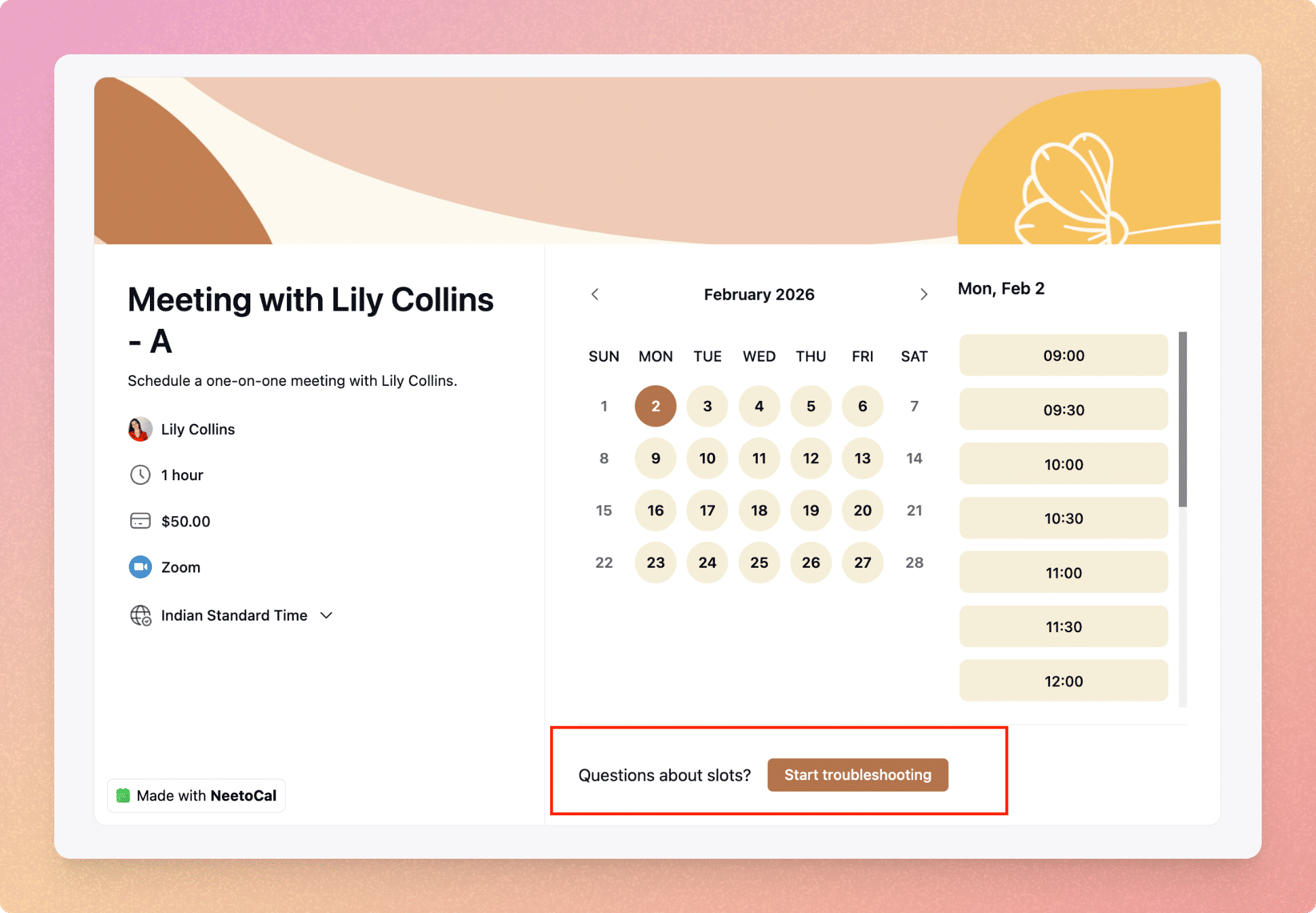
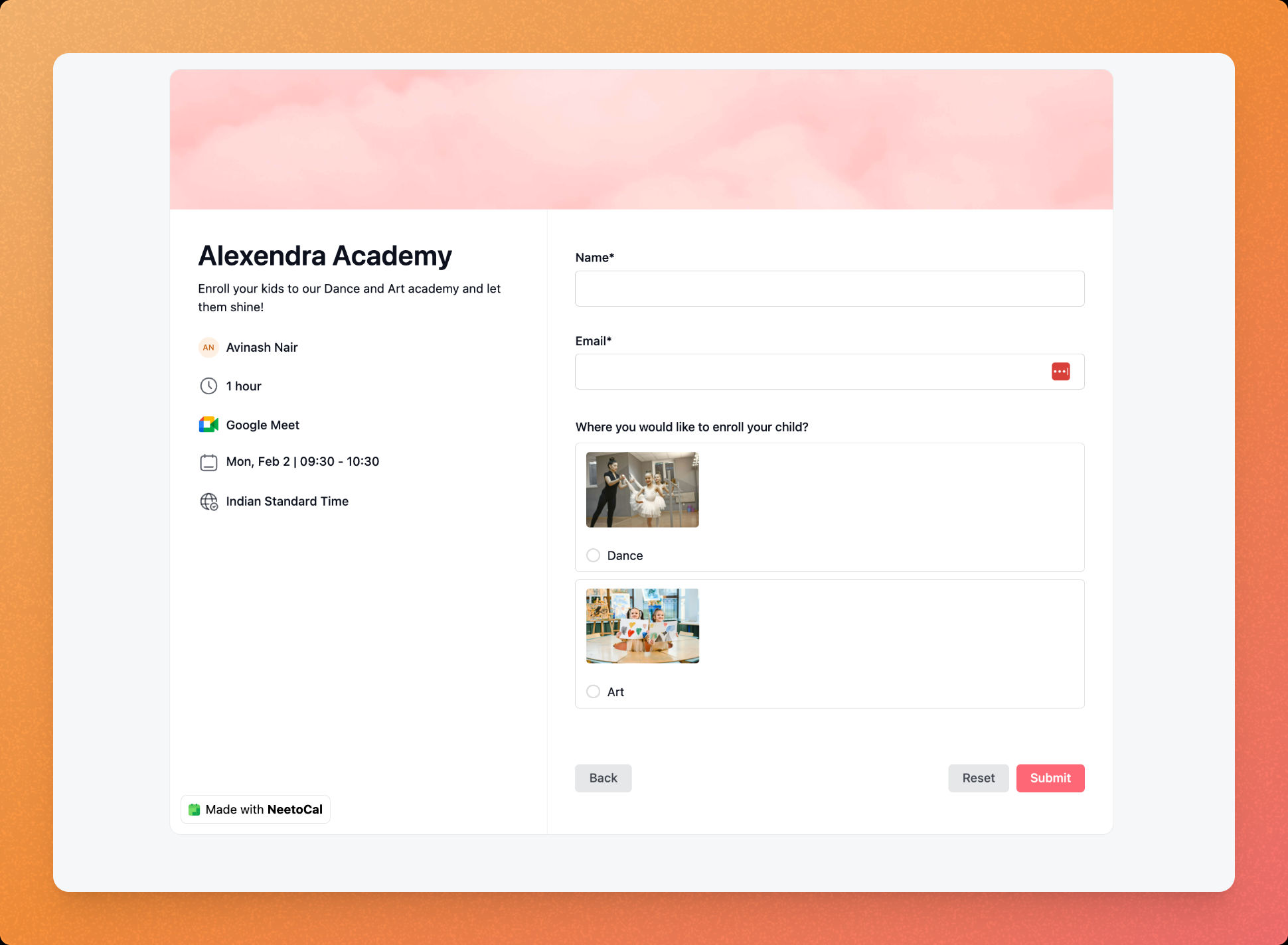
      <content type="html"><![CDATA[<p>The start of the year gave us a good opportunity to slow down and focus on the fundamentals. January’s work at NeetoCal was centred around stability by fixing bugs, improving existing flows, and tightening areas that needed more scalability as the team grows. </p><p></p><p>Here’s a look at everything the <a target="_self" rel="noopener noreferrer nofollow" class="link" href="https://neeto.com/neetocal">NeetoCal</a> team shipped this month.</p><h2><strong>Enhancements ✨</strong></h2><h4><strong>More prominent Troubleshoot slots with UX improvements</strong></h4><p>We’ve made the <a target="_blank" rel="noopener noreferrer nofollow" class="link" href="https://help.neetocal.com/articles/why-slots-are-unavailable">Troubleshoot slots</a> option easier to discover and improved its overall usability. This helps hosts quickly understand <em>why</em> certain slots aren’t showing as available, reducing confusion and unnecessary back-and-forth with support when availability doesn’t look right.</p><div class="neeto-editor__image-wrapper neeto-editor__image--left neeto-editor__image--bordered"><figure><a href="https://assets-cdn.neetopublish.com/rails/active_storage/blobs/proxy/eyJfcmFpbHMiOnsiZGF0YSI6IjU4NTIxMjk0LTQyMzgtNGRiYy1hNWI3LTMzMDViYWE2ODRjYSIsInB1ciI6ImJsb2JfaWQifX0=--a2a7d0a15b7711b72594729c55ceceddf1249c88/pawelzmarlak-2026-01-30T12_39_54.469Z_l46xXuvi1Y.png" target="_blank" rel="noopener noreferrer" class="neeto-editor__image" style="height:auto;width:500px;display:inline-block;pointer-events:none;"><img src="https://assets-cdn.neetopublish.com/rails/active_storage/blobs/proxy/eyJfcmFpbHMiOnsiZGF0YSI6IjU4NTIxMjk0LTQyMzgtNGRiYy1hNWI3LTMzMDViYWE2ODRjYSIsInB1ciI6ImJsb2JfaWQifX0=--a2a7d0a15b7711b72594729c55ceceddf1249c88/pawelzmarlak-2026-01-30T12_39_54.469Z_l46xXuvi1Y.png" alt="pawelzmarlak-2026-01-30T12_39_54.469Z_l46xXuvi1Y.png" figheight="auto" figwidth="500" align="left" border="true" draggable="false" contenteditable="false" data-border="true"></a><figcaption style="width:500px;"></figcaption></figure></div><h4><strong>Search scheduling links using Nicknames</strong></h4><p>You can now search scheduling links using their <a target="_blank" rel="noopener noreferrer nofollow" class="link" href="https://help.neetocal.com/articles/nickname">Nicknames</a> on both the scheduling links list and booking listing pages. This makes it much faster to find the right link internally, especially for hosts and admins managing multiple links with similar public names.</p><h4><strong>Image support for single and multiple choice questions</strong></h4><p>Single-choice and multiple-choice <a target="_blank" rel="noopener noreferrer nofollow" class="link" href="https://help.neetocal.com/articles/pre-meeting-questions">questions</a> now support <strong>images </strong>on the booking page. This is especially useful for visual selection use cases such as product options, service types, or any scenario where images add clarity and reduce friction during booking.</p><div class="neeto-editor__image-wrapper neeto-editor__image--left neeto-editor__image--bordered"><figure><a href="https://assets-cdn.neetopublish.com/rails/active_storage/blobs/proxy/eyJfcmFpbHMiOnsiZGF0YSI6IjczZmFhYzk3LTNmNTUtNGU4ZC05Y2MwLTZlNDllNTUyMTc3OSIsInB1ciI6ImJsb2JfaWQifX0=--e0b545457bd7909019b2efe19e064460528c3ce9/pawelzmarlak-2026-01-30T12_53_27.294Z_ILdLRZo9k.png" target="_blank" rel="noopener noreferrer" class="neeto-editor__image" style="height:379px;width:515px;display:inline-block;pointer-events:none;"><img src="https://assets-cdn.neetopublish.com/rails/active_storage/blobs/proxy/eyJfcmFpbHMiOnsiZGF0YSI6IjczZmFhYzk3LTNmNTUtNGU4ZC05Y2MwLTZlNDllNTUyMTc3OSIsInB1ciI6ImJsb2JfaWQifX0=--e0b545457bd7909019b2efe19e064460528c3ce9/pawelzmarlak-2026-01-30T12_53_27.294Z_ILdLRZo9k.png" alt="pawelzmarlak-2026-01-30T12_53_27.294Z_ILdLRZo9k.png" figheight="379" figwidth="515" align="left" border="true" draggable="false" contenteditable="false" data-border="true"></a><figcaption style="width:515px;"></figcaption></figure></div><h4><strong>Improved booking count display for large numbers</strong></h4><p>Booking counts now display in a more readable format for large values. Once the count crosses 1,000, it’s shown in a compact format like <strong>2k+</strong>, making dashboards and reports easier to scan at a glance.</p><h4><strong>Client email added to discount redemption reports</strong></h4><p>Discount code redemption reports now include the <strong>client’s email address</strong> alongside the client name. You can also search and filter using the client email. This makes troubleshooting much easier when customers report issues using their email or booking ID, and avoids ambiguity in cases where multiple clients share the same name.</p><h2><strong>Bug fixes ⚒️</strong></h2><h4><strong>Disabled scheduling links are hidden on the intro page editing</strong></h4><p>Fixed an issue where disabled scheduling links were still visible while editing intro pages. Disabled links now will not appear while editing intro pages, keeping the editing experience clean and consistent with what’s actually active.</p><h4><strong>Group booking slot blocking when capacity is reduced</strong></h4><p>Resolved a bug where slots remained available even after the group size was reduced below the number of already booked attendees. Slots are now correctly blocked in such cases, ensuring capacity rules are enforced and preventing overbooking.</p>]]></content>
    </entry><entry>
       <title><![CDATA[December 2025 updates - Host controls, availability fixes, and API improvements]]></title>
       <author><name>Kirti Gulati</name></author>
      <link href="https://www.neeto.com/neetocal/blog/december-2025-updates-host-controls-availability-fixes-api-improvements"/>
      <updated>2026-01-05T18:30:00Z</updated>
      <id>https://www.neeto.com/neetocal/blog/december-2025-updates-host-controls-availability-fixes-api-improvements</id>
      <content type="html"><![CDATA[<p>As more teams rely on NeetoCal for day-to-day scheduling, small details start to matter a lot. December’s updates focus on removing friction, making availability smarter, host management clearer, and integrations more reliable across the product.</p><p></p><p>Here’s a complete look at everything we shipped this month.</p><h2><strong>New features 🚀</strong></h2><h4><strong>Host tab in the sidebar</strong></h4><p>We’ve introduced a dedicated <a target="_blank" rel="noopener noreferrer nofollow" class="link" href="https://neetocalhelp.neetoengage.com/changelogs/host">Host </a>tab in the left sidebar, a centralized place to manage all host-level settings. This gives hosts a clear overview of the settings they control, while making it easier for admins to review and manage host configurations across the workspace. As teams grow, this separation helps reduce confusion</p><h4><strong>Nicknames for scheduling links</strong></h4><p>When hosts create multiple scheduling links with the same public meeting name, such as “Meeting with Oliver” for different regions or teams, it can be hard to distinguish them inside NeetoCal. With <a target="_blank" rel="noopener noreferrer nofollow" class="link" href="https://neetocalhelp.neetoengage.com/changelogs/nicknames-for-scheduling-links">Nickname</a>, hosts and workspace admins can add a private label to each link, making them easier to identify internally while clients continue to see the same public meeting name on the booking page.</p><h4><strong>SMS integration with Telnyx</strong></h4><p>NeetoCal now supports <a target="_blank" rel="noopener noreferrer nofollow" class="link" href="https://neetocalhelp.neetoengage.com/changelogs/sms-integration-with-telnyx">Telnyx</a> as an SMS provider, alongside Twilio.</p><p>This gives teams a more affordable and easy-to-configure option for sending SMS notifications to clients, especially useful for high-volume scheduling workflows.</p><h4><strong>Custom domain email support</strong></h4><p>You can now send emails from <a target="_blank" rel="noopener noreferrer nofollow" class="link" href="https://help.neetocal.com/articles/outlook-integration-to-send-emails">Outlook</a><strong> or other </strong><a target="_blank" rel="noopener noreferrer nofollow" class="link" href="https://neetocalhelp.neetoengage.com/changelogs/send-email-from-your-domain">custom email providers</a> using your own domain. This ensures consistent branding, improves deliverability, and keeps all communication looking professional, especially important for customer-facing teams.</p><h2><strong>Enhancements<span data-emoji="" class="neeto-editor-emoji" data-label="✨">✨</span> </strong></h2><h4><strong>Improved buffer time handling for Out-of-Office hours</strong></h4><p>Earlier, NeetoCal applied buffer time even when a user marked themselves as out of office, which unnecessarily blocked additional slots, especially in round-robin scheduling. Since out-of-office means unavailability and not a meeting, buffer time is no longer applied in these cases. The time remains blocked to prevent bookings, but without extra buffer, helping teams avoid losing valid slots and revenue.</p><h4><strong>Video call link changes visible in the timeline</strong></h4><p>Any change made to a video call link is now logged in the meeting timeline. This shows when the link was updated and who made the change, making it easier for teams and admins to track updates and troubleshoot issues.</p><h4><strong>Improved discount reports</strong></h4><p>Discount reports now display the total number of meetings per client. This removes the need for manual counting and makes it quicker to analyze usage and understand how discounts are being applied.</p><h4><strong>Google Calendar color sync</strong></h4><p>NeetoCal now uses the same predefined color palette as Google Calendar. This keeps meeting colors consistent across both platforms and makes schedules easier to scan and understand at a glance.</p><h4><strong>Clearer Google Meet connected account</strong></h4><p>The Google Meet integration page now clearly shows which Google account is currently connected, similar to the Zoom integration. This helps avoid confusion in workspaces where multiple Google accounts are used.</p><h4><strong>Timezone included in scheduling URLs</strong></h4><p>Scheduling links now include timezone information when a host selects a date and time. This ensures that people opening the link in a different timezone see the correct converted time, preventing confusion and missed meetings.</p><h4><strong>Revamped permissions for better access control</strong></h4><p>Permissions have been improved to give admins more granular control over what team members can view and manage. This makes it easier to scale teams while keeping ownership, security, and responsibilities clear.</p><h4><strong>Consistent meeting duration order on intro pages</strong></h4><p>Scheduling links offering multiple meeting durations on intro pages are now shown in a consistent ascending duration order across all scheduling links. Earlier, some links displayed durations in ascending order while others showed them in descending order, which made comparisons confusing, especially when choosing links based on duration or pricing. This update ensures a predictable, easy-to-scan experience everywhere.</p><h4><strong>Improved Google Sheet sync at the workspace level</strong></h4><p>We’ve improved the Google Sheet integration to ensure data stays consistent regardless of where updates are made. Additional guests added by admins from the NeetoCal dashboard now sync correctly to Google Sheets, just like guests added from the booking page. We’ve also added support for syncing client phone numbers into Google Sheets, placing them alongside name and email so commonly used fields are always available at the workspace level.</p><h2><strong>Bug fixes ⚒️</strong></h2><h4><strong>Host change &amp; video link regeneration</strong></h4><p>Fixed an issue where changing the host did not regenerate the video call link, which previously prevented the new host from joining the meeting.</p><h4><strong>Slot listing navigation</strong></h4><p>Resolved a bug on scheduling pages where users were not redirected to the next available slot when navigating between months.</p><h4><strong>Round Robin buffer time</strong></h4><p>Fixed cases where buffer time was ignored while assigning hosts in Round Robin scheduling, ensuring availability rules are applied correctly.</p><h4><strong>Report time filters</strong></h4><p>Reports now correctly respect the selected date range during tabular view instead of always showing all-time data, making it more accurate and reliable.</p>]]></content>
    </entry><entry>
       <title><![CDATA[November 2025 updates - Flexible availability, personalized SMS reminders and more]]></title>
       <author><name>Kirti Gulati</name></author>
      <link href="https://www.neeto.com/neetocal/blog/november-2025-updates-flexible-availability-personalized-sms-reminders-and-more"/>
      <updated>2025-12-02T18:30:00Z</updated>
      <id>https://www.neeto.com/neetocal/blog/november-2025-updates-flexible-availability-personalized-sms-reminders-and-more</id>
      <content type="html"><![CDATA[<p>Another month, another set of meaningful improvements to make scheduling smoother and smarter. In November, we focused on giving teams more control, reducing friction during booking conflicts, and improving clarity across the platform. Let’s take a look at what’s new in NeetoCal.</p><h2><strong>Enhancements<span data-emoji="" class="neeto-editor-emoji" data-label="✨">✨</span> </strong></h2><h4><strong>Custom colors for your scheduling links</strong></h4><p>You can now choose a <a target="_blank" rel="noopener noreferrer nofollow" class="link" href="https://help.neetocal.com/articles/meeting-color">custom color</a> for each scheduling link. This helps you visually organize your links differentiate team sessions, paid sessions, consultations, and more with colors that match your branding or workflow.</p><h4><strong>Customize SMS reminders sent to clients</strong></h4><p>SMS reminders just became more flexible. You can now <a target="_blank" rel="noopener noreferrer nofollow" class="link" href="https://help.neetocal.com/articles/sms-reminder-for-client#customizing-sms-reminder-for-clients">customize the SMS reminder</a> message that goes to your clients, making it easier to match your tone, include key instructions, or set expectations before the meeting.</p><h4><strong>Detailed revenue report</strong></h4><p>Your revenue dashboard has been upgraded with <a target="_blank" rel="noopener noreferrer nofollow" class="link" href="https://help.neetocal.com/articles/revenue-report#revenue-by-popular-scheduling-links">deeper insights </a>and clearer breakdowns. Track earnings by link, date range, or payment type so you always know how your business is performing.</p><h4><strong>Timezone visibility in “View availabilities”</strong></h4><p>When viewing a host’s availabilities, the timezone is now clearly visible. This small but important improvement helps avoid confusion, especially for users who work with international clients or distributed teams.</p><h4><strong>Resend confirmation for upcoming bookings</strong></h4><p>NeetoCal will now automatically resend meeting confirmations for all upcoming bookings whenever you update a client’s email address. This ensures your clients always receive the correct updates without requiring you to resend any confirmation manually.</p><h4><strong>First name &amp; Last name dynamic variable support</strong></h4><p>Your emails and messages can now include dynamic variables for the client’s <strong>first name</strong> and <strong>last name</strong>. This helps you keep communication more personalized without manually editing every time.</p><h4><strong>New permission to manage team members’ availability</strong></h4><p>We’ve introduced a new <a target="_blank" rel="noopener noreferrer nofollow" class="link" href="https://neetocalhelp.neetokb.com/articles/roles-and-permissions">permission just for managing team availability</a>.<br>Admins can now give assistants or managers the ability to update availability without granting access to roles or other sensitive settings.</p><h4><strong>Set any availability you need</strong></h4><p>Hosts can now enter <a target="_blank" rel="noopener noreferrer nofollow" class="link" href="https://neetocalhelp.neetokb.com/articles/setting-up-availabilities">any availability time manually,</a> instead of choosing from preset dropdowns. This gives complete flexibility, whether it’s a unique time window for a specific day or a custom schedule that doesn’t fit standard options.</p><h4><strong>Recurring meeting support via API</strong></h4><p>NeetoCal now supports recurring meetings via the API. This feature allows you to programmatically create weekly or monthly <a target="_blank" rel="noopener noreferrer" class="c-link link" href="https://apidocs.neetocal.com/api-reference/bookings/make-booking#body-metadata">recurring meetings</a> if you're building integrations with NeetoCal.</p><h4><strong>Choose a date range for holidays</strong></h4><p>No more <a target="_blank" rel="noopener noreferrer nofollow" class="link" href="https://neetocalhelp.neetokb.com/articles/holidays">adding holidays</a> one day at a time. You can now <strong>select a full date range</strong> and apply it as a holiday period instantly. Perfect for long weekends, festive closures, or annual shutdowns.</p><h4><strong>Reschedule meetings blocked by parallel errors</strong></h4><p>Sometimes two bookings clash at the same time, causing a<a target="_blank" rel="noopener noreferrer nofollow" class="link" href="https://neetocalhelp.neetokb.com/articles/what-is-parallel-error"> parallel error</a> that restricts host from rescheduling a meeting. Now, hosts and admins can always <strong>reschedule meetings affected by this error</strong>, ensuring no paid meeting gets stuck and conflicts can be fixed immediately.</p><h4><strong>Improved time zone naming conventions for better DST clarity</strong></h4><p>Time zones with Daylight Saving Time can be confusing, so we now add “(DST)” next to any time zone where it applies. This update appears in the Team Members section, Booking Page details, and My Profile section, helping avoid scheduling misunderstandings.</p><h4><strong>Clients can now manage their saved cards</strong></h4><p>Clients now have the option to <strong>view and manage their</strong><a target="_blank" rel="noopener noreferrer nofollow" class="link" href="https://help.neetocal.com/articles/manage-saved-payment-methods"> saved payment methods</a><strong> via Stripe</strong>. This gives them more transparency and control over their billing preferences and reduces support queries related to card or payment management.</p>]]></content>
    </entry><entry>
       <title><![CDATA[October 2025 updates -iCloud travel time, revamped intro page and more improvements]]></title>
       <author><name>Kirti Gulati</name></author>
      <link href="https://www.neeto.com/neetocal/blog/october-2025-updates-icloud-travel-time-revamped-intro-page-and-more-improvements"/>
      <updated>2025-11-04T18:30:00Z</updated>
      <id>https://www.neeto.com/neetocal/blog/october-2025-updates-icloud-travel-time-revamped-intro-page-and-more-improvements</id>
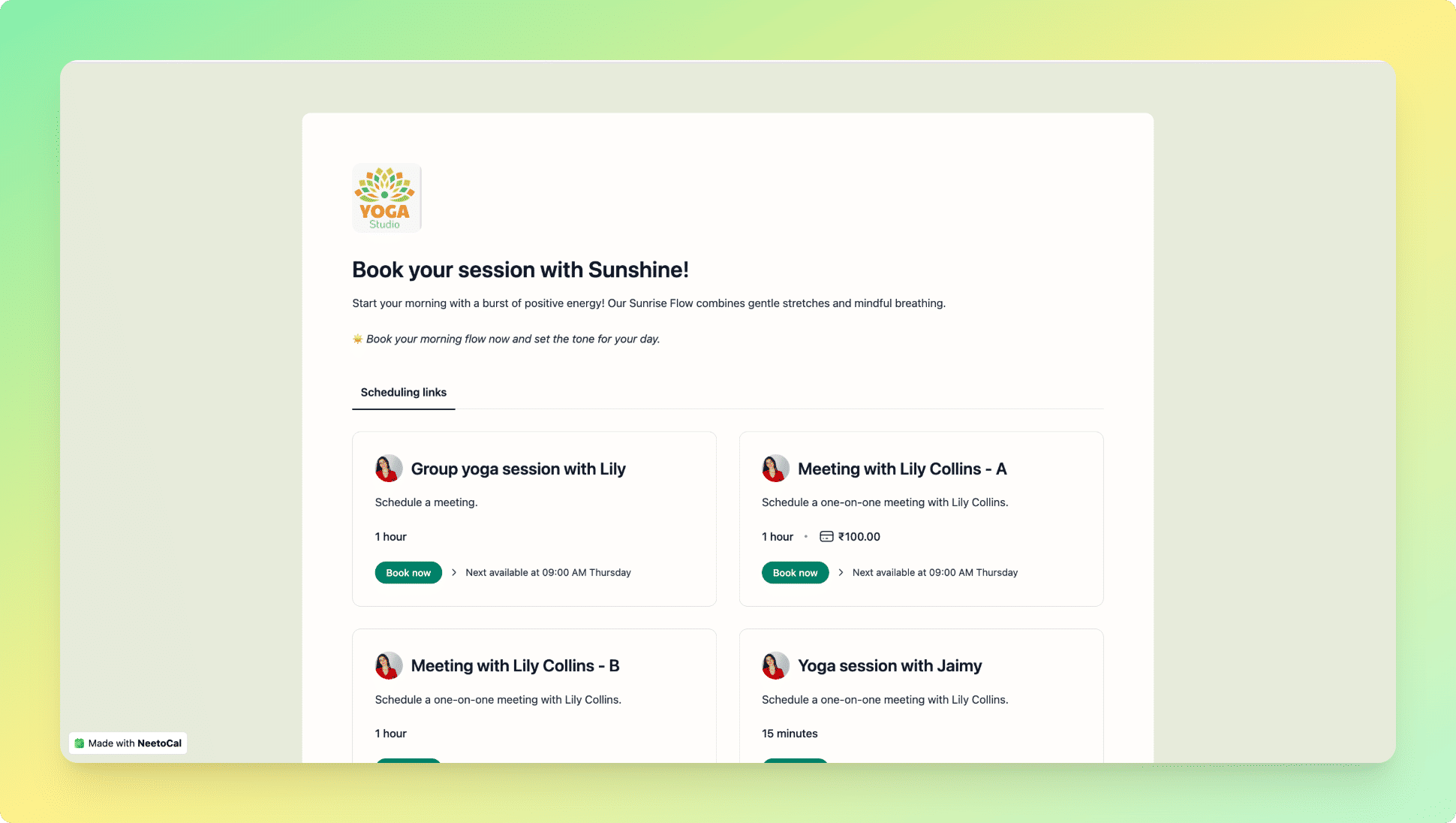
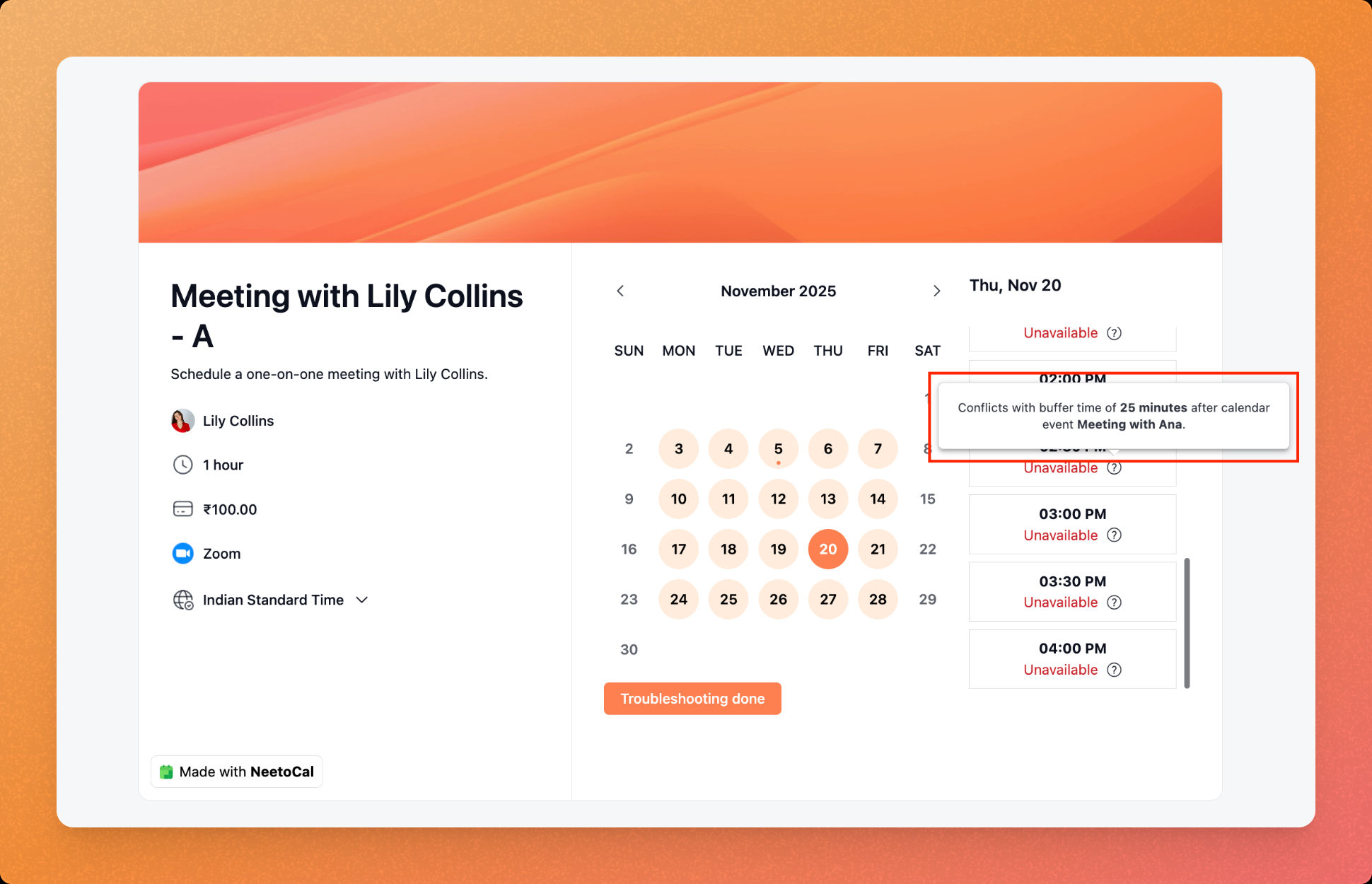
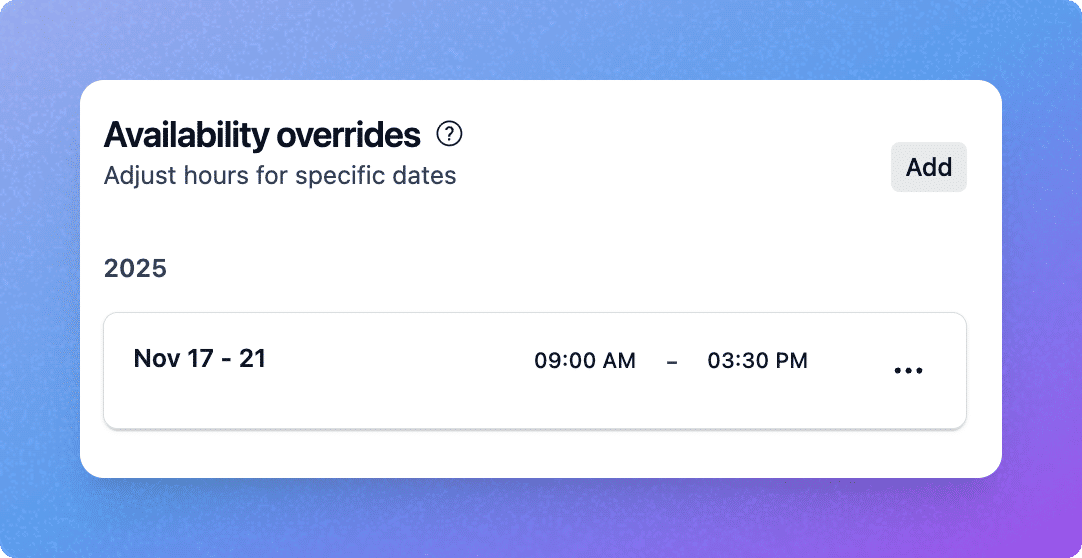
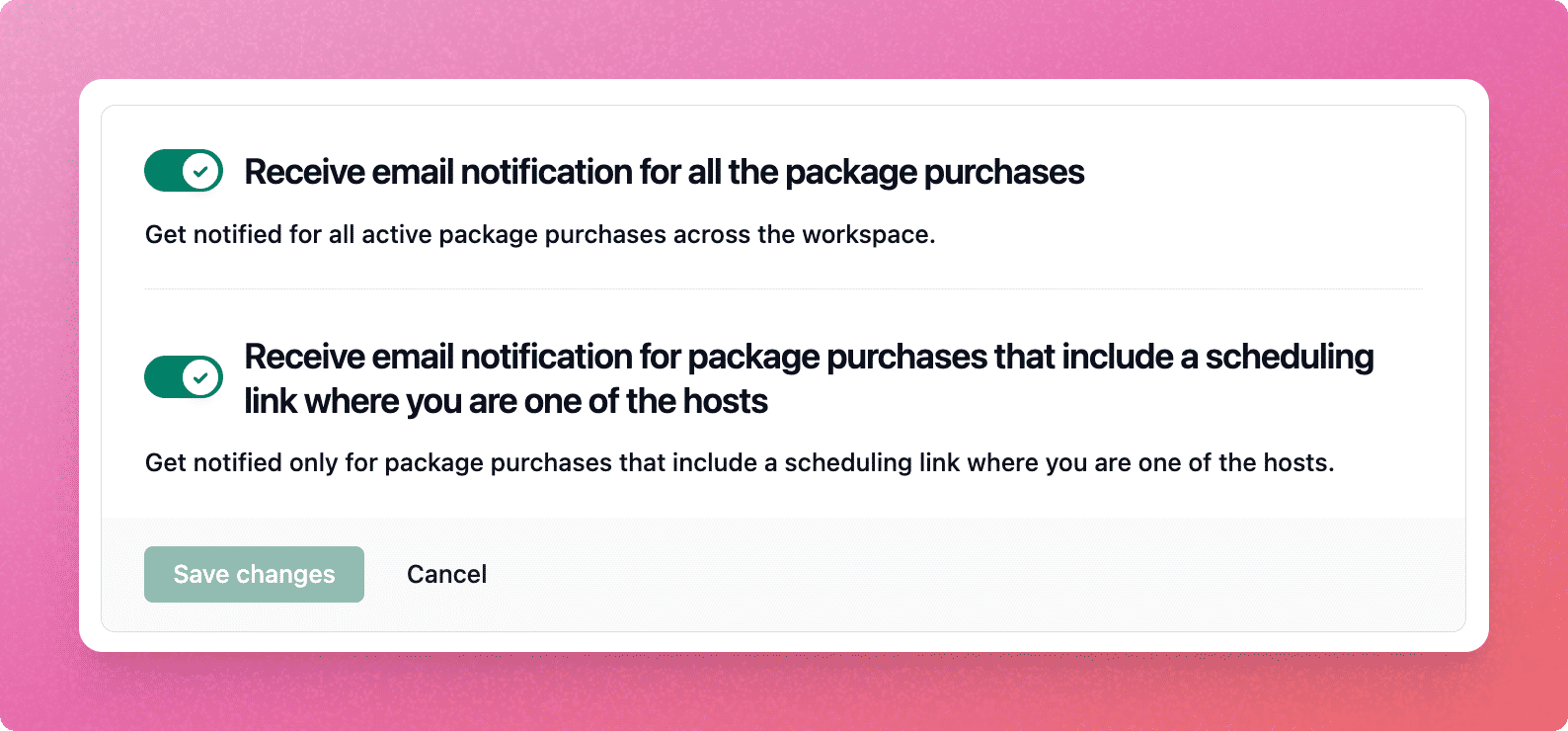
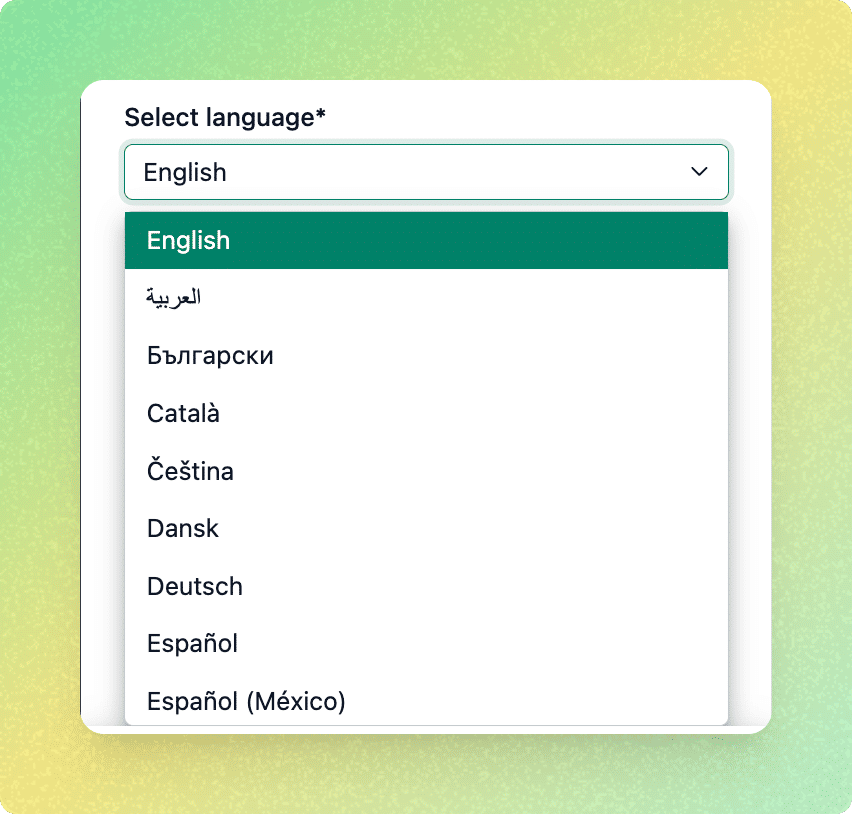
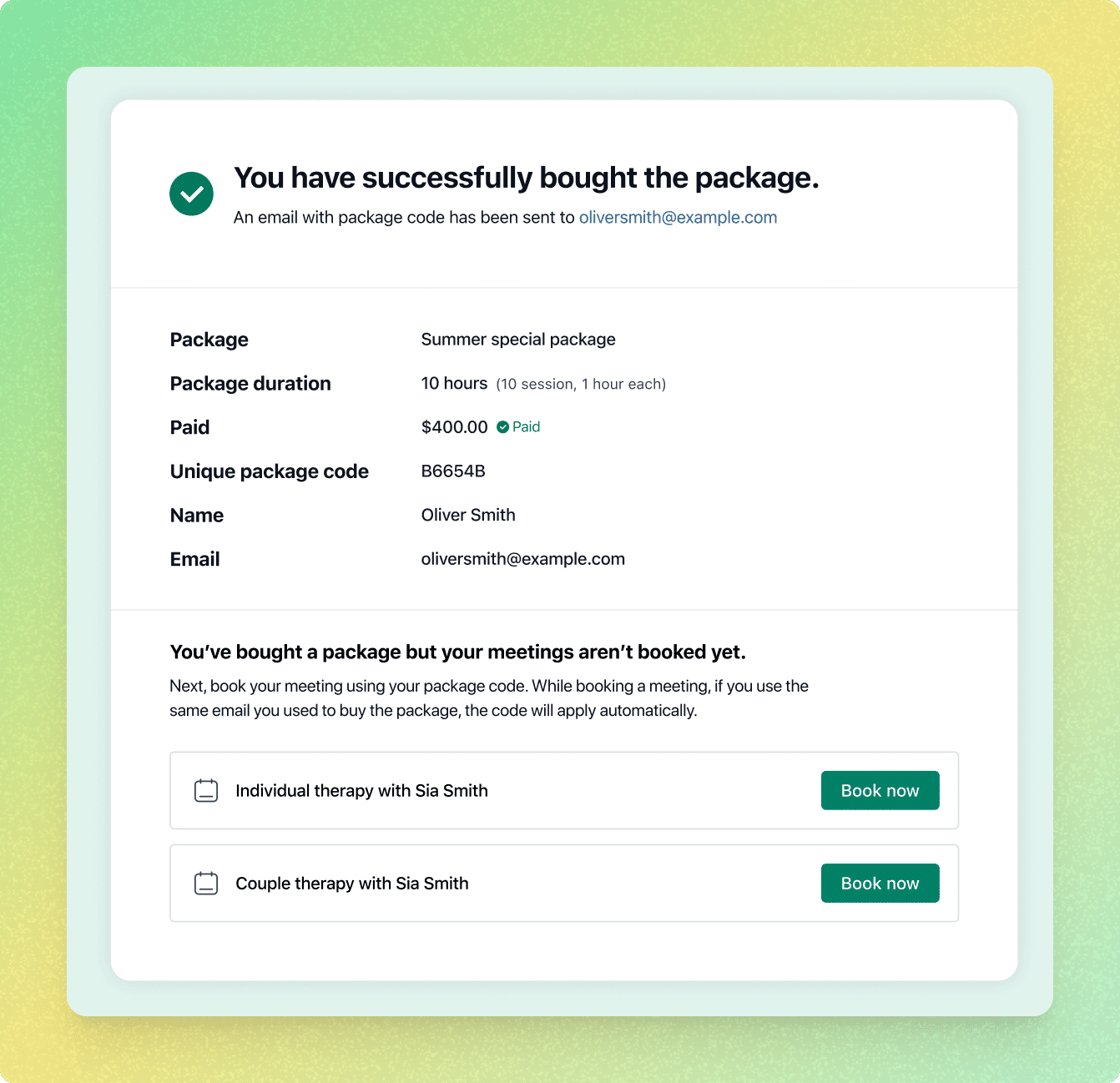
      <content type="html"><![CDATA[<p>In October 2025, we’ve made several enhancements across iCloud integration, intro page design, group meetings, and more. Let’s take a look at what’s new in NeetoCal.</p><h2><strong>Enhancements<span data-emoji="" class="neeto-editor-emoji" data-label="✨">✨</span> </strong></h2><h4><strong>iCloud travel time is now respected</strong></h4><p>NeetoCal now respects <strong>travel time</strong> added in your iCloud calendar events.<br>Earlier, travel time wasn’t factored in, which sometimes led to incorrect slot availability. This is now fixed, NeetoCal automatically blocks that duration, ensuring your availability reflects your real schedule.</p><h4><strong>Revamped intro page</strong></h4><p>We’ve given the <a target="_blank" rel="noopener noreferrer nofollow" class="link" href="https://help.neetocal.com/categories/intro-pages">intro page</a> a cleaner layout. Packages now appear in a <strong>separate tab</strong> next to your scheduling links, making it easier to navigate and attract your clients.</p><div class="neeto-editor__image-wrapper neeto-editor__image--left neeto-editor__image--bordered"><figure><a href="https://assets-cdn.neetopublish.com/rails/active_storage/blobs/proxy/eyJfcmFpbHMiOnsiZGF0YSI6ImRjOWQzYzQ1LWU1NGEtNDhjYy05Njk2LTIyYmZmODFjNzkyOCIsInB1ciI6ImJsb2JfaWQifX0=--660744de36a1191ff855ad4cc7d21b6dd32fecd8/pawelzmarlak-2025-11-05T09_53_31.975Z_N0mNsWLW14.png" target="_blank" rel="noopener noreferrer" class="neeto-editor__image" style="height:auto;width:500px;display:inline-block;pointer-events:none;"><img src="https://assets-cdn.neetopublish.com/rails/active_storage/blobs/proxy/eyJfcmFpbHMiOnsiZGF0YSI6ImRjOWQzYzQ1LWU1NGEtNDhjYy05Njk2LTIyYmZmODFjNzkyOCIsInB1ciI6ImJsb2JfaWQifX0=--660744de36a1191ff855ad4cc7d21b6dd32fecd8/pawelzmarlak-2025-11-05T09_53_31.975Z_N0mNsWLW14.png" alt="pawelzmarlak-2025-11-05T09_53_31.975Z_N0mNsWLW14.png" figheight="auto" figwidth="500" align="left" border="true" draggable="false" contenteditable="false" data-border="true"></a><figcaption style="width:500px;"></figcaption></figure></div><h4><strong>Clearer conflict details while troubleshooting</strong></h4><p>When <a target="_blank" rel="noopener noreferrer nofollow" class="link" href="https://neetocalhelp.neetokb.com/articles/why-bookings-are-not-appearing-in-my-calendar">troubleshooting</a> calendar conflicts, NeetoCal now displays not just the <strong>event name</strong> but also the <strong>calendar source</strong> . For example, Google, iCloud, or Microsoft Teams, helping you identify conflicts faster.</p><div class="neeto-editor__image-wrapper neeto-editor__image--left neeto-editor__image--bordered"><figure><a href="https://assets-cdn.neetopublish.com/rails/active_storage/blobs/proxy/eyJfcmFpbHMiOnsiZGF0YSI6IjhmZTFiZWU2LWY2MjgtNGNmMi04OTc5LWEyYWMwZjE2OTQwMSIsInB1ciI6ImJsb2JfaWQifX0=--792d9f707500a69273830a8a8cfe769204614b45/pawelzmarlak-2025-11-05T10_02_28.708Z_S4QdCsHMy.png" target="_blank" rel="noopener noreferrer" class="neeto-editor__image" style="height:auto;width:500px;display:inline-block;pointer-events:none;"><img src="https://assets-cdn.neetopublish.com/rails/active_storage/blobs/proxy/eyJfcmFpbHMiOnsiZGF0YSI6IjhmZTFiZWU2LWY2MjgtNGNmMi04OTc5LWEyYWMwZjE2OTQwMSIsInB1ciI6ImJsb2JfaWQifX0=--792d9f707500a69273830a8a8cfe769204614b45/pawelzmarlak-2025-11-05T10_02_28.708Z_S4QdCsHMy.png" alt="pawelzmarlak-2025-11-05T10_02_28.708Z_S4QdCsHMy.png" figheight="auto" figwidth="500" align="left" border="true" draggable="false" contenteditable="false" data-border="true"></a><figcaption style="width:500px;"></figcaption></figure></div><h4><strong>Grouped availability overrides</strong></h4><p>We’ve improved how <a target="_blank" rel="noopener noreferrer nofollow" class="link" href="https://neetocalhelp.neetokb.com/articles/availability-overrides">availability overrides</a> are displayed. Previously, each date override appeared as a separate card. Now, multiple sequential dates with the same override are grouped together for a cleaner, more compact view.</p><div class="neeto-editor__image-wrapper neeto-editor__image--left neeto-editor__image--bordered"><figure><a href="https://assets-cdn.neetopublish.com/rails/active_storage/blobs/proxy/eyJfcmFpbHMiOnsiZGF0YSI6ImE3M2RlNTI0LTU4YmYtNGIyZS04OTUzLTgyYmExMjM0OTU3MCIsInB1ciI6ImJsb2JfaWQifX0=--eff24a75d025e2afdea6f1795bb190d7d6ec2f3c/pawelzmarlak-2025-11-05T10_05_19.838Z_8jaMQW5Ys.png" target="_blank" rel="noopener noreferrer" class="neeto-editor__image" style="height:261px;width:504px;display:inline-block;pointer-events:none;"><img src="https://assets-cdn.neetopublish.com/rails/active_storage/blobs/proxy/eyJfcmFpbHMiOnsiZGF0YSI6ImE3M2RlNTI0LTU4YmYtNGIyZS04OTUzLTgyYmExMjM0OTU3MCIsInB1ciI6ImJsb2JfaWQifX0=--eff24a75d025e2afdea6f1795bb190d7d6ec2f3c/pawelzmarlak-2025-11-05T10_05_19.838Z_8jaMQW5Ys.png" alt="pawelzmarlak-2025-11-05T10_05_19.838Z_8jaMQW5Ys.png" figheight="261" figwidth="504" align="left" border="true" draggable="false" contenteditable="false" data-border="true"></a><figcaption style="width:504px;"></figcaption></figure></div><h4><strong>Support for intro page and packages in form routing</strong></h4><p>NeetoCal’s <a target="_blank" rel="noopener noreferrer nofollow" class="link" href="https://neetocalhelp.neetokb.com/articles/routing-forms">routing form</a><strong> redirection</strong> now supports both <strong>Intro page</strong> and <strong>Packages</strong>, making it easier to direct clients to the right booking flow.</p><h4><strong>Better Google Sheets sync for group meetings</strong></h4><p>We’ve added a new column in Google Sheets for <strong>group meeting notes</strong> and <strong>group meeting outcomes</strong>, helping you keep everything organized in one place.</p><h4><strong>Input limit improvements</strong></h4><p>To prevent accidental or irrelevant input, we’ve added restrictions on the number of digits you can enter in various settings:</p><ul class="bulletList"><li><p><strong>Meeting date range (Where tab):</strong> Up to 3 digits (Max 365 days)</p></li><li><p><strong>Reminders (Email/SMS):</strong> Up to 2 digits (Max 99)</p></li><li><p><strong>Meeting limits (Admin &amp; Scheduling link level):</strong> Up to 4 digits (Max 9999)</p></li><li><p><strong>Automation rules:</strong> Up to 3 digits (Max 999)</p></li></ul><p>If you enter a number beyond the allowed limit, NeetoCal will now stop input and show an error message. <em>“Number must not be more than 99”</em> (or 999 based on the field).</p><h4><strong>RefID enhancements</strong></h4><p>We’ve simplified <a target="_blank" rel="noopener noreferrer nofollow" class="link" href="https://neetocalhelp.neetokb.com/articles/refid">RefID</a><strong> generation</strong> by including <strong>scheduling link fields</strong> along with notes. You no longer need to manually copy or type them, it’s all handled automatically.lping you keep everything organized in one place.</p><h4><strong>Client phone numbers in the bookings tab</strong></h4><p>A new column has been added under the <strong>Bookings tab</strong> to display client phone numbers who booked the same slotm making it easy to track and contact attendees.</p><h4><strong>Host notifications for package purchases</strong></h4><p>Whenever someone buys a package, the <strong>host of the scheduling link</strong> included in that package will now automatically receive a notification email. Hosts can manage these notifications via their <a target="_blank" rel="noopener noreferrer nofollow" class="link" href="https://neetocalhelp.neetokb.com/articles/notification-preferences">notification preferences</a>.</p><div class="neeto-editor__image-wrapper neeto-editor__image--left neeto-editor__image--bordered"><figure><a href="https://assets-cdn.neetopublish.com/rails/active_storage/blobs/proxy/eyJfcmFpbHMiOnsiZGF0YSI6ImFhOTZjMmE0LWIwMjctNDUyNS04ZWY2LTQzZDJjYTI0ZDU2ZCIsInB1ciI6ImJsb2JfaWQifX0=--e46c28fdcbc0be0976360c3c61863d4d074a209c/pawelzmarlak-2025-11-05T10_06_51.961Z_OfH8lwWD7.png" target="_blank" rel="noopener noreferrer" class="neeto-editor__image" style="height:auto;width:500px;display:inline-block;pointer-events:none;"><img src="https://assets-cdn.neetopublish.com/rails/active_storage/blobs/proxy/eyJfcmFpbHMiOnsiZGF0YSI6ImFhOTZjMmE0LWIwMjctNDUyNS04ZWY2LTQzZDJjYTI0ZDU2ZCIsInB1ciI6ImJsb2JfaWQifX0=--e46c28fdcbc0be0976360c3c61863d4d074a209c/pawelzmarlak-2025-11-05T10_06_51.961Z_OfH8lwWD7.png" alt="pawelzmarlak-2025-11-05T10_06_51.961Z_OfH8lwWD7.png" figheight="auto" figwidth="500" align="left" border="true" draggable="false" contenteditable="false" data-border="true"></a><figcaption style="width:500px;"></figcaption></figure></div><h4><strong>Language switcher in profile</strong></h4><p>We’ve added a <strong>language switcher</strong> under your profile settings, so you can now use NeetoCal in the language you prefer.</p><div class="neeto-editor__image-wrapper neeto-editor__image--left neeto-editor__image--bordered"><figure><a href="https://assets-cdn.neetopublish.com/rails/active_storage/blobs/proxy/eyJfcmFpbHMiOnsiZGF0YSI6IjhmYzBlMmM1LTM2ZTYtNDlhNi1hMTQ3LTUwMWFmNmRjMTQ1NiIsInB1ciI6ImJsb2JfaWQifX0=--345c9eac7bc87a5363484b6a96da1c88cc944823/pawelzmarlak-2025-11-05T10_18_37.632Z_RwEky-Y_g.png" target="_blank" rel="noopener noreferrer" class="neeto-editor__image" style="height:auto;width:500px;display:inline-block;pointer-events:none;"><img src="https://assets-cdn.neetopublish.com/rails/active_storage/blobs/proxy/eyJfcmFpbHMiOnsiZGF0YSI6IjhmYzBlMmM1LTM2ZTYtNDlhNi1hMTQ3LTUwMWFmNmRjMTQ1NiIsInB1ciI6ImJsb2JfaWQifX0=--345c9eac7bc87a5363484b6a96da1c88cc944823/pawelzmarlak-2025-11-05T10_18_37.632Z_RwEky-Y_g.png" alt="pawelzmarlak-2025-11-05T10_18_37.632Z_RwEky-Y_g.png" figheight="auto" figwidth="500" align="left" border="true" draggable="false" contenteditable="false" data-border="true"></a><figcaption style="width:500px;"></figcaption></figure></div><h4><strong>UTM tracking for embedded scheduling links</strong></h4><p>Previously, when NeetoCal scheduling links were <strong>embedded on websites</strong> and the <strong>website URL</strong> was promoted through ads (Google, Meta, Instagram), bookings couldn’t be linked back to their ad source. Now, NeetoCal automatically <a target="_blank" rel="noopener noreferrer nofollow" class="link" href="https://neetocalhelp.neetokb.com/articles/track-query-params-and-utm-source-in-embedded-scheduling-link">captures UTM parameters </a>(like <code>utm_source</code>, <code>utm_medium</code>, and <code>utm_campaign</code>) from the parent page URL, even in embeds. </p><p>This means bookings made via webpage like this<code>advantageinvestment.co.uk/?utm_source=googleads</code>will show <strong>Google Ads</strong> as the source, and similarly for other campaigns.</p><h4><strong>Categorization of dynamic variables</strong></h4><p>We’ve organized all dynamic variables into clear categories, making it easier to find and insert them while customizing emails, SMS, and notifications. This saves time and ensures you never miss adding key booking details.</p><h4><strong>Revamped package confirmation page and email</strong></h4><p>The package confirmation page and its accompanying email got a complete design revamp. The new layout not only looks cleaner but also guides clients to <strong>book a meeting  after purchasing a package</strong>, helping hosts increase their booking conversion rate.</p><div class="neeto-editor__image-wrapper neeto-editor__image--left neeto-editor__image--bordered"><figure><a href="https://assets-cdn.neetopublish.com/rails/active_storage/blobs/proxy/eyJfcmFpbHMiOnsiZGF0YSI6IjYxMWVjY2Y0LWI2ZjItNGM0My04NzYwLWY0ZWU0MGU1NzFkZSIsInB1ciI6ImJsb2JfaWQifX0=--d2d4422740d022bd495b4a1a66dfa403728d4edb/pawelzmarlak-2025-11-05T10_35_07.443Z_AfkAqU06R.png" target="_blank" rel="noopener noreferrer" class="neeto-editor__image" style="height:auto;width:500px;display:inline-block;pointer-events:none;"><img src="https://assets-cdn.neetopublish.com/rails/active_storage/blobs/proxy/eyJfcmFpbHMiOnsiZGF0YSI6IjYxMWVjY2Y0LWI2ZjItNGM0My04NzYwLWY0ZWU0MGU1NzFkZSIsInB1ciI6ImJsb2JfaWQifX0=--d2d4422740d022bd495b4a1a66dfa403728d4edb/pawelzmarlak-2025-11-05T10_35_07.443Z_AfkAqU06R.png" alt="pawelzmarlak-2025-11-05T10_35_07.443Z_AfkAqU06R.png" figheight="auto" figwidth="500" align="left" border="true" draggable="false" contenteditable="false" data-border="true"></a><figcaption style="width:500px;"></figcaption></figure></div><h4><strong>Added package code expiry limit</strong></h4><p>You can now set an <a target="_blank" rel="noopener noreferrer nofollow" class="link" href="https://neetocalhelp.neetokb.com/articles/set-package-code-expiry-limit">expiry limit for package codes</a>. This allows you to define how long a purchased package can be used, helping prevent old, unused codes from lingering and ensuring smoother operations for hosts.</p><h4><strong>Dynamic height for embedded scheduling links</strong></h4><p>NeetoCal now automatically adjusts the <a target="_blank" rel="noopener noreferrer nofollow" class="link" href="https://neetocalhelp.neetokb.com/articles/embed-on-a-webpage#dynamic-height-in-embeds">height of embedded scheduling pages</a>. This improvement ensures a <strong>seamless viewing experience</strong>, without scrollbars or clipped content, no matter where you embed your booking page.</p>]]></content>
    </entry><entry>
       <title><![CDATA[Sept 2025 updates -50k+ Bookings and major performance upgrades]]></title>
       <author><name>Kirti Gulati</name></author>
      <link href="https://www.neeto.com/neetocal/blog/sept-2025-updates-50k-bookings-and-major-performance-upgrades"/>
      <updated>2025-10-05T18:30:00Z</updated>
      <id>https://www.neeto.com/neetocal/blog/sept-2025-updates-50k-bookings-and-major-performance-upgrades</id>
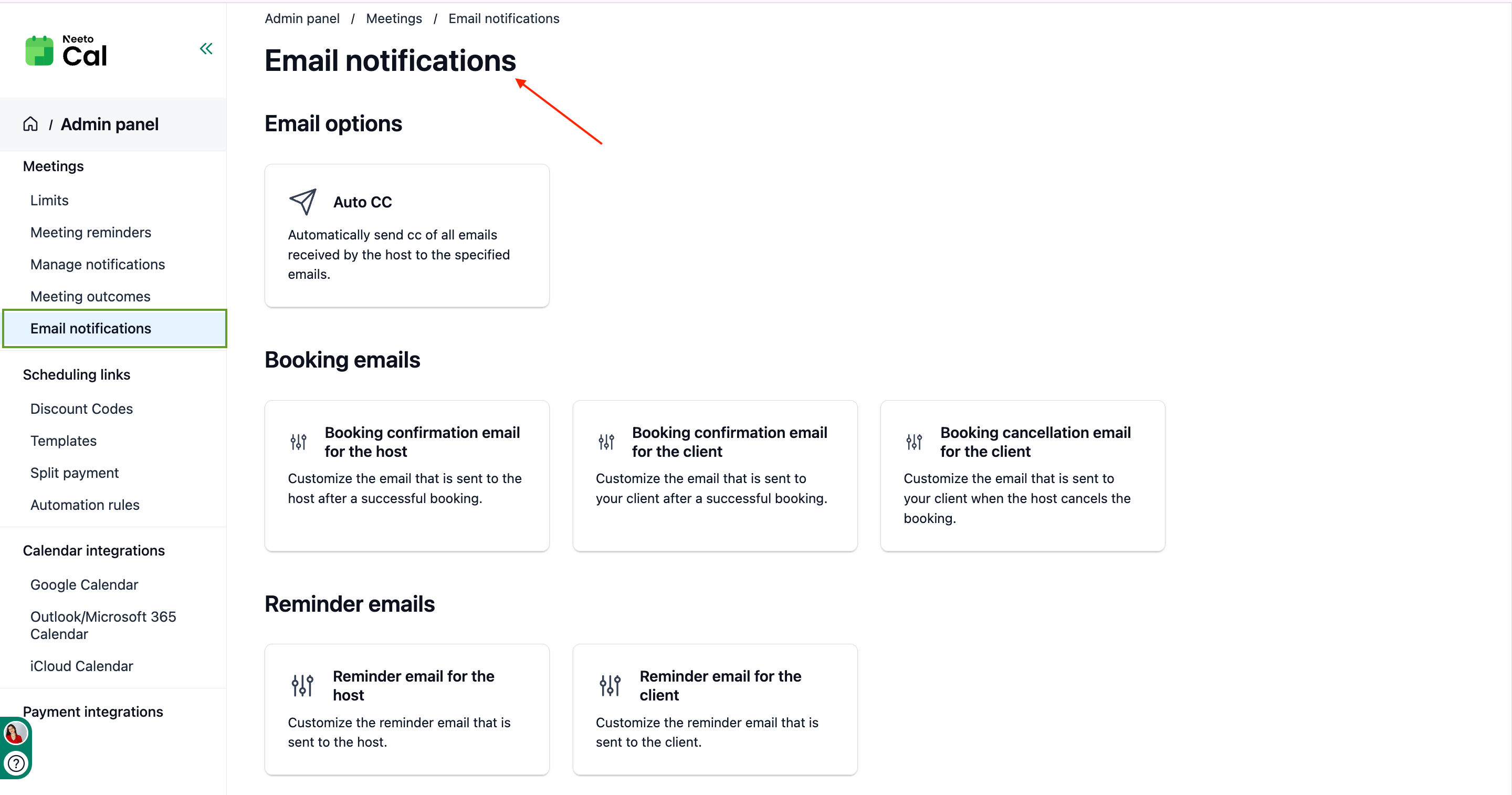
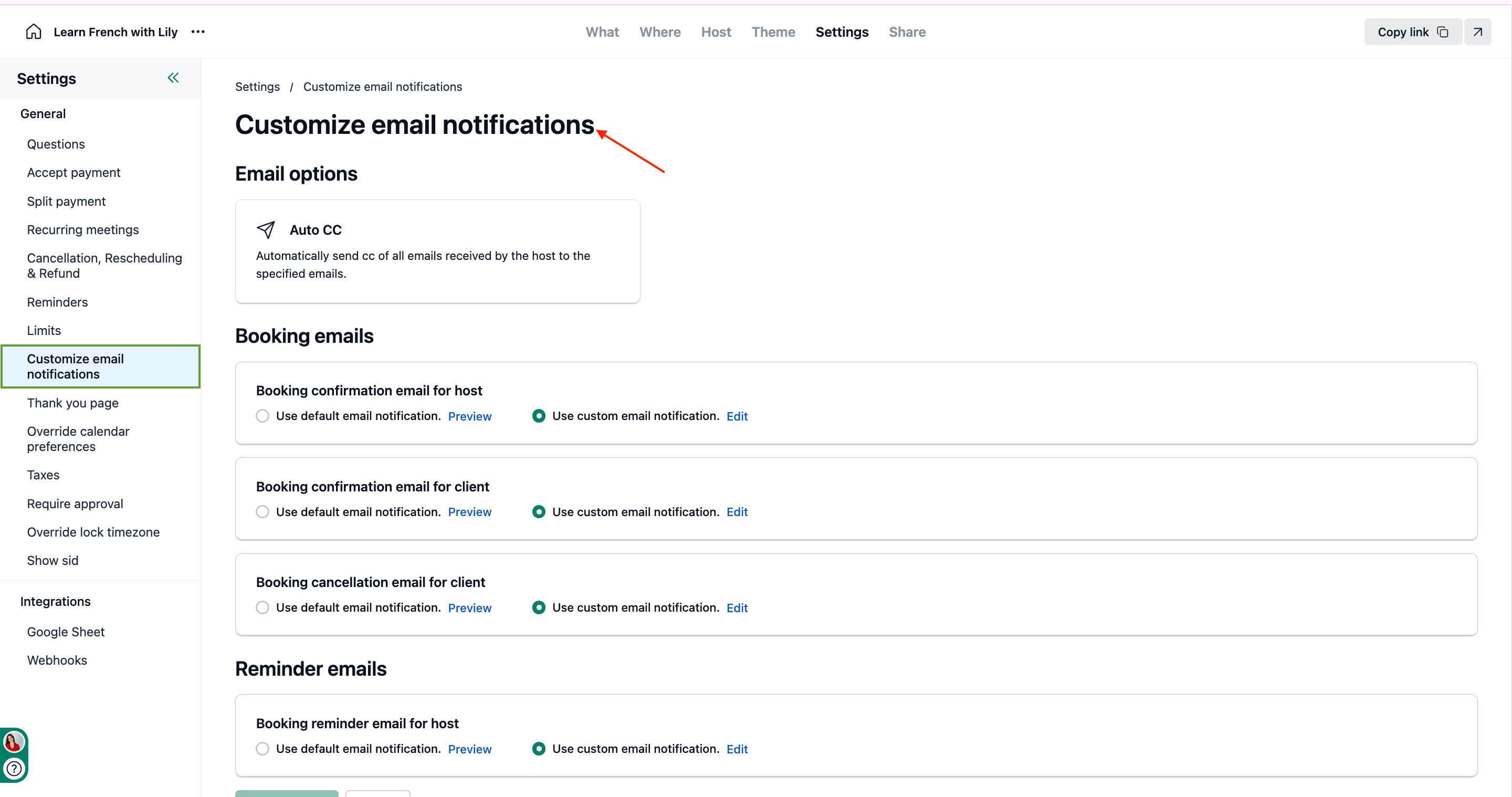
      <content type="html"><![CDATA[<p>September was a milestone month for NeetoCal! We processed over <strong>50,000 bookings</strong>, our highest monthly count ever. Thank you for trusting us with your scheduling needs.</p><p>Beyond the numbers, we focused on making NeetoCal faster, more efficient, and easier to use. Here's everything new this month.</p><h3><strong>Enhancements✨</strong></h3><h4><strong>Email notifications moved to the admin panel</strong></h4><p>Managing email notifications just got simpler. Instead of configuring emails separately for each scheduling link, you can now control all <a target="_blank" rel="noopener noreferrer nofollow" class="link" href="https://help.neetocal.com/articles/email-notifications-templates">email notification</a> settings from one central location in the admin panel. Make a change once, and it applies everywhere. Need custom messaging for a specific scheduling link? You can still <a target="_blank" rel="noopener noreferrer nofollow" class="link" href="https://help.neetocal.com/articles/booking-confirmation-email">override settings at the link level</a> whenever needed.</p><h4><strong>Google Sheets integration at the workspace level</strong></h4><p>Previously, connecting Google Sheets meant setting it up individually for each scheduling link. Now, connect once at the <a target="_blank" rel="noopener noreferrer nofollow" class="link" href="https://help.neetocal.com/articles/google-sheet-integration#connecting-google-sheet-at-the-admin-level">workspace level</a> and automatically see data from <em>all your scheduling links</em> in a single Google Sheet. Get a complete view of your bookings without repetitive setup.</p><h4><strong>Edit SMS reminder question</strong></h4><p>Personalize the phone number question on your booking form for <a target="_blank" rel="noopener noreferrer nofollow" class="link" href="https://help.neetocal.com/articles/sms-reminder-for-client">SMS reminders</a>. You can now use your own wording to match your brand voice and make the experience more personal for your clients.</p><h4><strong>Set multiple meeting durations during scheduling link creation</strong></h4><p>You no longer need to create a scheduling link first and then add multiple durations. Now you can offer various duration options (like 30-minute and 60-minute meetings) right when you're creating the link, giving your clients immediate flexibility to choose what works best for them.</p><h4><strong>Jump straight to the earliest availability on the booking page</strong></h4><p>When your calendar is busy, clients don't need to scroll through multiple months anymore. The booking page now automatically takes them to the first month with available slots, saving time and reducing friction in the booking process.</p><h4><strong>Meeting outcome column in Google Sheets</strong></h4><p>Your Google Sheets integration now includes a dedicated column for meeting outcomes (like "follow-up needed" or "no-show"). This makes it easier to track meeting results and plan follow-up actions directly from your spreadsheet.</p><h4><strong>Total amount column in discount report CSV</strong></h4><p>Discount reports now include a "total amount" column showing the final amount after discounts are applied. This makes it simpler to calculate and track your actual earnings.</p><h4><strong>Support for query params in package URLs</strong></h4><p>You can now add query parameters to package URLs to prefill information like client name and email. This streamlines the package purchase process, making it faster and smoother for your clients.</p><h3><strong>Performance Improvements⚡ </strong></h3><p>We made significant improvement in NeetoCal's speed and reliability this month:</p><ul class="bulletList"><li><p><strong>Embed page performance:</strong> Improved by 93%, making embedded scheduling links load nearly instant on your website.</p></li><li><p><strong>Slot availability display:</strong> Optimised by 95%, so available time slots now appear almost immediately when clients check your calendar.</p></li><li><p><strong>Overall stability:</strong> We've dramatically improved NeetoCal's performance and reduced bugs to maintain a smooth, reliable experience for all users.</p></li></ul><p>These improvements mean faster loading times, quicker responses, and a more seamless scheduling experience for both you and your clients.</p><h3><strong>What's Next</strong></h3><p>We're continuously working to make NeetoCal faster, more intuitive, and more powerful. Your feedback drives our product decisions, so keep sharing your ideas and pain points with us. Thank you for an incredible September. Here's to even more growth and improvements ahead!</p>]]></content>
    </entry><entry>
       <title><![CDATA[How one client request fixed email management for everyone]]></title>
       <author><name>Kirti Gulati</name></author>
      <link href="https://www.neeto.com/neetocal/blog/how-one-client-request-fixed-email-management-for-everyone"/>
      <updated>2025-09-21T18:30:00Z</updated>
      <id>https://www.neeto.com/neetocal/blog/how-one-client-request-fixed-email-management-for-everyone</id>
      <content type="html"><![CDATA[<p>In <a target="_blank" rel="noopener noreferrer nofollow" class="link" href="https://www.neeto.com/neetocal">NeetoCal</a>, we take client requests seriously because often, they reveal friction points that affect many others too.</p><p></p><p>One of our clients reached out with a simple request that opened our eyes to a bigger problem. He said: <em>"If I want to change something in my confirmation emails and I have three scheduling links, I have to go to three different places to make the same change."</em></p><p></p><p>Think about it! If you want to update your email signature across all your booking confirmations, <strong>the old way was? </strong>you had to edit each scheduling link individually. Navigate to Email Notifications, make the change, save, and repeat for every single link. That's a lot of extra work for something so simple.</p><h2><strong>Why couldn't we just move everything</strong></h2><p>Here's the tricky part: email notifications were at the scheduling link level for good reason. Different services often need different messaging:</p><ul class="bulletList"><li><p>A therapy session confirmation sounds different from a sales demo.</p></li><li><p>A group workshop needs different instructions than a 1-on-1 call.</p></li><li><p>Cancellation policies vary by service type.</p></li></ul><p>We couldn't just move everything to a global setting and kill that flexibility. Our clients need to customize their emails.</p><h2><strong>How we fixed it</strong></h2><p>After analyzing the problem, we redesigned the entire email notifications system with a two-tier approach:</p><h4><strong>1. Global Control in Admin Panel</strong></h4><p>We moved email notifications to the admin panel. Now, workspace admins can:</p><ul class="bulletList"><li><p>Set default email notifications for all scheduling links across the workspace.</p></li><li><p>Make company-wide changes in one place.</p></li><li><p>Ensure consistent branding across all scheduling links.</p></li><li><p>Preview exactly how emails will look.</p><div class="neeto-editor__image-wrapper neeto-editor__image--left"><figure><a href="https://assets-cdn.neetopublish.com/rails/active_storage/blobs/proxy/eyJfcmFpbHMiOnsiZGF0YSI6IjY2MTFkNmVjLTk3ZTQtNGYwNi1hMTk2LTVmMzRjNmM5N2FhZiIsInB1ciI6ImJsb2JfaWQifX0=--1dd0162c4dff175310f0871fdf10a2f70705b640/Screenshot_2025-09-23_at_11.31.22_AM_exyVOpN7zi.png" target="_blank" rel="noopener noreferrer" class="neeto-editor__image" style="height:279px;width:528px;display:inline-block;pointer-events:none;"><img src="https://assets-cdn.neetopublish.com/rails/active_storage/blobs/proxy/eyJfcmFpbHMiOnsiZGF0YSI6IjY2MTFkNmVjLTk3ZTQtNGYwNi1hMTk2LTVmMzRjNmM5N2FhZiIsInB1ciI6ImJsb2JfaWQifX0=--1dd0162c4dff175310f0871fdf10a2f70705b640/Screenshot_2025-09-23_at_11.31.22_AM_exyVOpN7zi.png" alt="Screenshot_2025-09-23_at_11.31.22_AM_exyVOpN7zi.png" figheight="279" figwidth="528" align="left" draggable="false" contenteditable="false"></a><figcaption style="width:528px;"></figcaption></figure></div></li></ul><h4><strong>2. Scheduling link-level customization when needed</strong></h4><p>On each scheduling link, we added a "<strong>Customize Email Notifications</strong>" option that lets you:</p><ul class="bulletList"><li><p><strong>Use default</strong> (inherits from admin panel—perfect for global consistency)</p></li><li><p><strong>Customize</strong> (override with link-specific content when needed)</p><div class="neeto-editor__image-wrapper neeto-editor__image--left"><figure><a href="https://assets-cdn.neetopublish.com/rails/active_storage/blobs/proxy/eyJfcmFpbHMiOnsiZGF0YSI6ImRhNzEzYTk0LTc3MzItNDM3ZC1iOGJkLThmZWFlODJlNjZlYyIsInB1ciI6ImJsb2JfaWQifX0=--c21e601b682947c30001454ead7c6a7e44e1e606/Screenshot_2025-09-23_at_11.29.19_AM_43RsmcIZk.png" target="_blank" rel="noopener noreferrer" class="neeto-editor__image" style="height:292px;width:553px;display:inline-block;pointer-events:none;"><img src="https://assets-cdn.neetopublish.com/rails/active_storage/blobs/proxy/eyJfcmFpbHMiOnsiZGF0YSI6ImRhNzEzYTk0LTc3MzItNDM3ZC1iOGJkLThmZWFlODJlNjZlYyIsInB1ciI6ImJsb2JfaWQifX0=--c21e601b682947c30001454ead7c6a7e44e1e606/Screenshot_2025-09-23_at_11.29.19_AM_43RsmcIZk.png" alt="Screenshot_2025-09-23_at_11.29.19_AM_43RsmcIZk.png" figheight="292" figwidth="553" align="left" draggable="false" contenteditable="false"></a><figcaption style="width:553px;"></figcaption></figure></div></li></ul><h2><strong>How we made sure we didn't break anyone's setup</strong></h2><p>The migration was crucial. We couldn't just wipe out clients' existing customizations, hence: </p><ul class="bulletList"><li><p><strong>For clients who had customized emails:</strong> We have preserved their settings under "Custom" mode on each scheduling link.</p></li><li><p><strong>For clients using default emails:</strong> We have set them to "Use default" mode, pulling from the new admin panel settings.</p></li><li><p><strong>In the admin panel:</strong> Populated email with NeetoCal's standard templates as the baseline.</p></li></ul><p>This meant zero disruption; everyone's emails kept working exactly as before.</p><h2><strong>What this taught us</strong></h2><p>While working on this we realized that the best improvements aren't always new features - sometimes they're workflow fixes that make everyday tasks easier.</p><p></p><p>Our client wasn't asking for fancy new email tools. They just wanted to stop doing the same thing repeatedly. By listening and building a solution that strikes a balance between flexibility and simplicity, we changed a daily headache into something smooth and easy.</p><p></p><p>This is how we approach building NeetoCal, we listen to real problems and find ways to solve them without disrupting what already works.</p><p></p><p>Have you experienced similar workflow issues with tools you use? If you're curious about NeetoCal or have any pain points you'd love to see solved, we'd love to hear from you.</p>]]></content>
    </entry><entry>
       <title><![CDATA[August 2025 updates -Client email verification, taxonomy and more]]></title>
       <author><name>Kirti Gulati</name></author>
      <link href="https://www.neeto.com/neetocal/blog/august-2025-updates-client-email-verification-taxonomy"/>
      <updated>2025-08-31T18:30:00Z</updated>
      <id>https://www.neeto.com/neetocal/blog/august-2025-updates-client-email-verification-taxonomy</id>
      <content type="html"><![CDATA[<p>Here’s what we got done in August 2025 in NeetoCal.</p><h2><span data-emoji="" class="neeto-editor-emoji" data-label="✨">✨</span> New features</h2><h4><strong>Taxonomy support for contacts</strong></h4><p>Different businesses<a target="_blank" rel="noopener noreferrer nofollow" class="link" href="https://roadmap.neetocal.com/changelogs/support-for-taxonomy"> refer to their contacts differently</a>, some say “Clients,” others say “Customers,” and some use unique terms. You can now update the “Contacts” label in Neetocal to whatever fits your business vocabulary. This change applies throughout the NeetoCal, giving you a more personalized and relevant experience.</p><h4><strong>Client email verification via OTP</strong></h4><p>NeetoCal now supports <a target="_blank" rel="noopener noreferrer nofollow" class="link" href="https://roadmap.neetocal.com/changelogs/client-email-verification-via-otp">client email verification via OTP</a>. When a client books a meeting, they will receive a one-time password via email, which they must verify before the booking is confirmed. This ensures that all scheduled meetings are backed by valid email addresses, reducing spam bookings.</p><h2><span data-emoji="" class="neeto-editor-emoji" data-label="✨">✨</span> <strong>Enhancements</strong></h2><h4><strong>Export booking data in profile timezone</strong></h4><p>When exporting booking data, the times now automatically adjust to your profile’s timezone. This ensures your reports and analytics match your working hours, avoiding the confusion of interpreting times in UTC or another timezone.</p><h4><strong>Social share option on share page</strong></h4><p>We’ve added a social sharing option directly to the Neetocal <a target="_blank" rel="noopener noreferrer nofollow" class="link" href="https://help.neetocal.com/articles/social-share">share page</a>. You can now quickly post your scheduling link to popular social media platforms without leaving the app, making it easier to promote your business.</p><h4><strong>Override locked timezone at scheduling link level</strong></h4><p>Sometimes, you might need flexibility even if your workspace has a locked timezone. You can now <a target="_blank" rel="noopener noreferrer nofollow" class="link" href="https://help.neetocal.com/articles/lock-timezone#override-lock-timezone">override this setting for individual scheduling links</a>, giving you more control without affecting the global workspace configuration.</p><h4><strong>Displaying old timezone in rescheduled meetings</strong></h4><p>When a meeting is rescheduled, we now show the old timezone alongside the old time. This provides more clarity, especially when dealing with clients in different regions, and helps keep a clear record of the original schedule.</p><h4><strong>Workspace-level permission fixed for standard users</strong></h4><p>We have fixed a permission setting so that standard users can no longer access or manage workspace-level notifications. They also cannot create or update meeting outcomes that are set by the admin. However, they are still able to manage their own contacts. This ensures that only users with the correct permissions can make workspace-wide changes.</p>]]></content>
    </entry><entry>
       <title><![CDATA[July 2025 updates - Google sheet integration, add tips and more]]></title>
       <author><name>Kirti Gulati</name></author>
      <link href="https://www.neeto.com/neetocal/blog/july-2025-updates-google-sheet-integration-add-tips-and-more"/>
      <updated>2025-07-31T18:30:00Z</updated>
      <id>https://www.neeto.com/neetocal/blog/july-2025-updates-google-sheet-integration-add-tips-and-more</id>
      <content type="html"><![CDATA[<p>Let’s go through what we got done in July 2025 in NeetoCal.</p><h2><strong>New feature</strong> ✨</h2><h4><strong>✅ Google sheet integration</strong></h4><p>Your bookings now sync directly to <a target="_blank" rel="noopener noreferrer nofollow" class="link" href="https://roadmap.neetocal.com/changelogs/google-sheet-integration">Google Sheets</a>. Each scheduling link has its sheet, and new bookings are added automatically with all details. If you update the booking form, the sheet updates too, new columns get added without any manual work.</p><h4><strong>✅ Add tips while making payment</strong></h4><p>Now you can allow your clients to <a target="_blank" rel="noopener noreferrer nofollow" class="link" href="https://roadmap.neetocal.com/changelogs/add-tips">include a tip</a> during the booking payment process, optionally. This is especially useful for service-based businesses where clients may want to show appreciation for great service.</p><h4><strong>✅ Popular channel report</strong></h4><p>You can now track which platform brings in the most bookings. Just configure a custom key like <code>?source=Instagram</code> and add it to your scheduling link. The <a target="_blank" rel="noopener noreferrer nofollow" class="link" href="https://roadmap.neetocal.com/changelogs/popular-channel-report">Popular Channels report</a> will then show bookings by channel.</p><h4><strong>✅ Customising the reminder email for different reminders</strong></h4><p><a rel="noopener noreferrer nofollow" class="link" href="https://help.neetocal.com/articles/reminders#customize-reminder-email">Customise your reminder emails</a> based on when they’re being sent. Customise the email for a 1-day reminder, 1-hour reminder, or anything in between to keep your communication on point and personal.</p><h4><span data-emoji="" class="neeto-editor-emoji" data-label="✅">✅</span> <strong>Send calendar invitation to anyone</strong></h4><p>You can now automatically <a target="_blank" rel="noopener noreferrer nofollow" class="link" href="https://roadmap.neetocal.com/changelogs/send-calendar-invite-to-anyone">send a calendar invite to any email address</a> using automation rules. For example, you can notify an interviewer when a candidate books a meeting, loop in an assistant, or invite a co-host, all without manual effort. Everyone stays informed, and the event is added to their calendar instantly.</p><h4><span data-emoji="" class="neeto-editor-emoji" data-label="✅">✅</span> <strong>Disable email notifications</strong></h4><p>NeetoCal sends automatic emails for confirmations, reminders, cancellations, and more. But if your team prefers to handle emails through custom workflows, using tools like Zapier, Make. You can now selectively <a target="_blank" rel="noopener noreferrer nofollow" class="link" href="https://roadmap.neetocal.com/changelogs/disabling-email-notifications">turn off these notifications.</a> This gives you full control over how and when emails are sent to hosts and clients.</p><h2><strong>Enhancements</strong> ✨</h2><h4><strong> ✅ Ability to change the frequency of recurring meetings</strong></h4><p>You’re no longer limited to weekly repeats. With the new update, you can set recurring meetings to repeat biweekly, monthly, or at any custom frequency that fits your workflow.</p><h4><strong>✅Add complete UPI transaction ID</strong></h4><p>Clients paying via UPI will now be required to enter the complete transaction ID during the payment process. This ensures better <a target="_blank" rel="noopener noreferrer nofollow" class="link" href="https://help.neetocal.com/articles/manual-upi-payment#confirming-payment">traceability of payments</a>, making it easier to verify transactions and provide faster support in case of any payment issues or disputes.</p><h4><strong>✅ Customizable time exclusions in Outlook/Microsoft 365 calendar </strong></h4><p>Previously, NeetoCal only excluded "Busy" time slots from your Outlook calendar. Now, it also excludes events marked as "Away," "Tentative," or "Working Elsewhere." You can choose which one to exclude, keeping your availability accurate and fully under your control.</p><h4><strong>✅ Email notifications from your connected Gmail account</strong></h4><p>Previously, only your clients received emails from your connected <a target="_blank" rel="noopener noreferrer nofollow" class="link" href="https://help.neetocal.com/articles/gmail-integration-to-send-emails">Gmail account</a>. Now, hosts will also get notifications from the same account, ensuring consistent and professional communication on both ends.</p><h4><strong>✅ Cancellation of past meeting</strong></h4><p>You can now cancel meetings that have already past, right from your dashboard. This makes it easier to trigger follow-up actions like sending a feedback request or simply keeping your records up to date.</p><h4><strong>✅ Locale‑based payment page</strong></h4><p>Now the payment page automatically adapts to your client’s locale, showing language and date formats they understand and making the payment process easier and clearer for them.</p><h4><strong>✅ Notify everyone when guests are added after booking</strong></h4><p>You can <a rel="noopener noreferrer nofollow" class="link" href="https://help.neetocal.com/articles/add-guests-for-upcoming-meeting">add guests</a> to a meeting even after it’s been booked, and now NeetoCal will automatically send email notifications to the host, client, and any newly added guests, ensuring everyone has the latest meeting details and nothing slips through the cracks.</p><h4><span data-emoji="" class="neeto-editor-emoji" data-label="✅">✅</span> <strong>Edit name and email of a contact</strong></h4><p>You can now update a contact’s name and email directly from the dashboard. Whether it was a typo or placeholder info during booking, you no longer need to cancel and rebook, just make the changes and you’re good to go.</p><h4><span data-emoji="" class="neeto-editor-emoji" data-label="✅">✅</span> <strong>Add notes next to package duration</strong></h4><p>You can now add notes next to the package duration to help customers understand how the total time is distributed. For example, if the package duration is 10 hours, you can add a note like “10 sessions, 1 hour each” to make it clear how many sessions they can book. This helps set clear expectations and avoids confusion during booking.</p><h4><span data-emoji="" class="neeto-editor-emoji" data-label="✅">✅</span> <strong>Default permission for the standard role</strong></h4><p>Earlier, new users with the Standard role had no permissions by default. Now, they can manage any scheduling link where they’re the host, making it easier for them to get started.</p>]]></content>
    </entry><entry>
       <title><![CDATA[From 100 to 30k Bookings/month: NeetoCal's two-year journey to Product Hunt V2]]></title>
       <author><name>Kirti Gulati</name></author>
      <link href="https://www.neeto.com/neetocal/blog/from-100-to-30k-bookings-per-month-neetocal-2-year-journey"/>
      <updated>2025-07-22T04:00:00Z</updated>
      <id>https://www.neeto.com/neetocal/blog/from-100-to-30k-bookings-per-month-neetocal-2-year-journey</id>
      <content type="html"><![CDATA[<p>Two years ago, we hit <strong>"Launch"</strong> on Product Hunt, nervous but hopeful, with no idea what to expect. <a target="_blank" rel="noopener noreferrer nofollow" class="link" href="https://neetocal.com/neetocal">NeetoCal</a> was just another scheduling tool in a crowded market, and honestly, we weren't sure, as it was our first marketing effort to let people know about NeetoCal.</p><p></p><p>But something magical happened that day. We didn't just get our first 100 customers, we found our community. People who believed that good software shouldn't cost a fortune, and that scheduling meetings shouldn't feel like rocket science.</p><p><br>Fast forward to last week, <strong>NeetoCal ranked #3 Product of the Day</strong> <strong>on Product Hunt in V2 launch. </strong>The same platform that gave us our start, just validated two years of relentless building, listening, and growing.</p><h3><strong>Numbers that tell our story</strong></h3><p>Here's what's changed since the first launch:</p><ul><li><p><strong>From 100 to thousands of customers</strong> who trust us with their most important meetings.</p></li><li><p><strong>30,000 bookings processed every month</strong> (that's one booking every 90 seconds!)</p></li><li><p><strong>Over $90,000 in monthly transactions</strong> flowing through our platform.</p></li><li><p><strong>Many major features</strong> that people asked for.</p></li></ul><p>But here's what hasn't changed: <strong>Our prices</strong>. While competitors keep raising their rates, we've kept our promise. We still believe scheduling is commodity software that should be priced fairly. Every single feature we've built over the past two years, it's available in our <strong>FREE plan</strong>.</p><p></p><p>Building NeetoCal wasn't about cramming in every feature imaginable. It was about solving real problems for real people. We've shipped dozens of features over two years that our community asked for. Every feature we built started with someone's real problem. </p><p></p><p>Yoga instructors were spending hours managing individual bookings for the same class,  so we built <a rel="noopener noreferrer nofollow" class="link" href="https://roadmap.neetocal.com/changelogs/group-meeting"><strong>Group Bookings</strong></a> to let multiple people book one session automatically. Therapists and coaches were losing money chasing payments for each individual session, so we built <a rel="noopener noreferrer nofollow" class="link" href="https://roadmap.neetocal.com/changelogs/packages"><strong>Packages</strong></a> to let them sell bundles upfront and get paid once for multiple sessions.&nbsp;</p><p></p><p>Sales teams kept losing track of what happened in meetings and what needed follow-up, so we built<strong> </strong><a rel="noopener noreferrer nofollow" class="link" href="https://roadmap.neetocal.com/changelogs/meeting-outcome"><strong>Meeting Outcomes</strong></a> to tag every meeting with its results. People were joining calls with no idea why they were scheduled, so we built <a rel="noopener noreferrer nofollow" class="link" href="https://roadmap.neetocal.com/changelogs/refid"><strong>RefId</strong></a> to let you attach context notes to booking links.</p><p></p><p>The feedback kept coming, and we kept building solutions. Consultants were frustrated when random people found and booked their private links, so we built <a rel="noopener noreferrer nofollow" class="link" href="https://roadmap.neetocal.com/changelogs/password-protected-scheduling-link"><strong>Password Protection</strong></a> to keep sensitive meetings truly private. Business owners offering multiple services were confusing clients with long lists of booking links, so we built<strong> </strong><a rel="noopener noreferrer nofollow" class="link" href="https://roadmap.neetocal.com/changelogs/intro-page-theming"><strong>Intro Pages</strong></a> to create clean landing pages that showcase all their services in one place.&nbsp;</p><p></p><p>Personal trainers and tutors wanted an easy way to collect tips after great sessions, so we built the<strong> </strong><a target="_blank" rel="noopener noreferrer nofollow" class="link" href="https://roadmap.neetocal.com/changelogs/allow-clients-to-add-tip"><strong>Tips feature</strong></a> right into the booking confirmation. Each feature made scheduling a little easier, a little smarter, and a lot more human.</p><h3><strong>What this really means</strong></h3><p>Behind every feature, there is a story. A frustrated coach who couldn't manage group sessions. A therapist tired of chasing individual payments. A consultant who kept losing context between meetings.</p><p></p><p>We didn't just build features, we solved problems. Real problems for real businesses trying to grow without breaking the bank.</p><p></p><p>Ranking #3 on Product Hunt feels incredible, but it's just the beginning. Every day, we're hearing from more businesses who are tired of paying premium prices for basic scheduling. They're switching to NeetoCal not just because we're affordable, but because we listen and build what they need.</p><p></p><p>We're not trying to be everything to everyone. We're trying to be the best scheduling tool for businesses that value simplicity, reliability, and fair pricing.</p><p></p><p>If you haven't tried NeetoCal yet, there's never been a better time. Every feature we've mentioned is completely free. No hidden costs, no surprise upgrades, no "gotcha" moments.</p><p></p><p>Join the businesses who've already made the switch. See why we went from 100 customers to processing 30,000 bookings a month. <strong>Because good software shouldn't cost a fortune and great customer service shouldn't be a luxury.</strong></p><p></p><p>What's your biggest scheduling headache? We'd love to hear about it. <strong>Who knows, it might just become our next feature.</strong></p><p></p><p><a rel="noopener noreferrer nofollow" class="link" href="https://www.neeto.com/neetocal"><strong>Try NeetoCal for free</strong></a><strong> </strong>and see what scheduling should feel like.</p>]]></content>
    </entry><entry>
       <title><![CDATA[Milestone M39 - Cash payment, NeetoChat integration and more]]></title>
       <author><name>Kirti Gulati</name></author>
      <link href="https://www.neeto.com/neetocal/blog/milestone-m39-cash-payment-neetochat-integration-and-more"/>
      <updated>2025-06-30T18:30:00Z</updated>
      <id>https://www.neeto.com/neetocal/blog/milestone-m39-cash-payment-neetochat-integration-and-more</id>
      <content type="html"><![CDATA[<p>Let’s go through what we got done in Milestone M39 (June 16 – June 29, 2025)</p><h2><strong>New feature</strong> ✨</h2><h4><strong>✅ NeetoChat integration</strong></h4><p>You can now add the <a target="_blank" rel="noopener noreferrer nofollow" class="link" href="https://roadmap.neetocal.com/changelogs/neetochat-integration">NeetoChat widget</a> to your scheduling link and intro pages. This makes it easier for your visitors to ask questions and get help, right from the scheduling flow.</p><h4><strong>✅ Cash payment method</strong></h4><p>We’ve added <a target="_blank" rel="noopener noreferrer nofollow" class="link" href="https://roadmap.neetocal.com/changelogs/cash-payment-method">Cash as a payment method</a>. This is helpful when you want to accept offline payments while still using NeetoCal for scheduling and record-keeping.</p><h4><strong>✅ Gmail integration to send emails</strong></h4><p>By default, all NeetoCal emails are sent from <code>neetocal.outbound@neeto.com</code>. Now, you can maintain brand consistency by sending emails directly from your own <a target="_blank" rel="noopener noreferrer nofollow" class="link" href="https://roadmap.neetocal.com/changelogs/gmail-integration-for-sending-out-emails">Gmail account.</a></p><h2><strong>Enhancements</strong> ✨</h2><h4><strong>✅ Delete contacts</strong></h4><p>You can now <a rel="noopener noreferrer nofollow" class="link" href="https://help.neetocal.com/articles/contacts#deleting-contacts">delete contacts</a> directly from NeetoCal, giving you better control over your contact list and helping you keep it organized.</p><h4><strong>✅ Dynamic Thank you pages</strong></h4><p>Want to personalize the Thank you page after someone books with you? You can now include <a rel="noopener noreferrer nofollow" class="link" href="https://neetocalhelp.neetokb.com/p/a-2a7c73b7">booking form field values as dynamic variables</a> in the thank you page.</p><h4><strong>✅ Control email notifications</strong></h4><p>We’ve added the option to <a target="_blank" rel="noopener noreferrer nofollow" class="link" href="https://help.neetocal.com/articles/email-notifications#managing-email-notifications">turn off email notifications</a>. Whether you're managing internal meetings or external bookings, you can decide what emails go out.</p><h4><strong>✅ Lead time respects holidays</strong></h4><p>While setting lead time, you can now choose to <a target="_blank" rel="noopener noreferrer nofollow" class="link" href="https://help.neetocal.com/articles/lead-time">count only business days</a> and also take holidays into account. This makes scheduling around non-working days more reliable.</p><h4><strong>✅ CSV export for reports</strong></h4><p>Need to use data offline? You can now <a target="_blank" rel="noopener noreferrer nofollow" class="link" href="https://help.neetocal.com/articles/exporting-bookings">export all reports</a> under the Reports section in CSV format with a single click.</p><h4><strong>✅ Regenerate one-off links</strong></h4><p>You can now <a rel="noopener noreferrer nofollow" class="link" href="https://help.neetocal.com/articles/one-off-scheduling-links#regenarate-one-time-scheduling-link">regenerate a one-off scheduling link</a> right from the same screen, no need to switch tabs. This makes it much faster to share multiple one-off links in a row.</p><h4><strong>✅ Dynamic fields in all email templates</strong></h4><p>We now support <a rel="noopener noreferrer nofollow" class="link" href="https://neetocalhelp.neetokb.com/p/a-2a7c73b7">booking form fields as dynamic variables</a> in all types of email templates, allowing even more customization and clarity in your communications.</p>]]></content>
    </entry><entry>
       <title><![CDATA[Milestone M38 - SMS workflow, Embed intro page and more]]></title>
       <author><name>Kirti Gulati</name></author>
      <link href="https://www.neeto.com/neetocal/blog/milestone-m38-sms-workflows-embed-intro-page-and-more"/>
      <updated>2025-06-17T18:30:00Z</updated>
      <id>https://www.neeto.com/neetocal/blog/milestone-m38-sms-workflows-embed-intro-page-and-more</id>
      <content type="html"><![CDATA[<p>Let’s go through what we got done in Milestone M38 (June 2 – June 15, 2025)</p><h2><strong>Enhancements</strong> ✨</h2><h4><strong>✅ Send SMS using workflows</strong></h4><p>You can now send SMS using <a rel="noopener noreferrer nofollow" class="link" href="https://neetocalhelp.neetokb.com/p/a-eb3768ff">workflows</a> in NeetoCal. Whether it’s a reminder or a follow-up, reaching your clients just got a lot easier.</p><h4><strong>✅ Embed intro page</strong></h4><p>If you're using the <strong>Intro Page</strong> to showcase multiple scheduling links (e.g., 1:1 calls, group sessions, paid consultations), you can now <a target="_blank" rel="noopener noreferrer nofollow" class="link" href="https://help.neetocal.com/articles/intro-pages#embedding-intro-page-on-your-website">embed intro page</a> directly into your website. It’s a professional, all-in-one view of your services for your clients without leaving your website.</p><h4><strong>✅ Pay using ACH direct debit</strong></h4><p>Clients in the U.S. can now <a rel="noopener noreferrer nofollow" class="link" href="https://help.neetocal.com/articles/stripe-integration#using-ach-direct-debit">make payments via ACH</a><strong> (Automated Clearing House)</strong> directly from their bank accounts. This secure method is ideal for high-value payments. ACH payments may take up to 4 business days to confirm. While it’s not instant like card payments, it’s a great option for clients who prefer bank transfers over credit cards.</p><h4><strong>✅ Troubleshooting slots for Round Robin meetings</strong></h4><p>When using Round Robin scheduling, slot availability can sometimes be tricky to understand, especially with multiple team members. We’ve added a <a rel="noopener noreferrer nofollow" class="link" href="https://help.neetocal.com/articles/why-slots-are-unavailable">troubleshooting option</a><strong> </strong>that helps you pin-point why time isn’t available and resolve issues faster.</p><h4><strong>✅ Email notification revamp</strong></h4><p>You can now <a rel="noopener noreferrer nofollow" class="link" href="https://help.neetocal.com/articles/update-regarding-email-notifications-templates">customize</a> not just the message body but also the <strong>email header</strong>, making your booking notifications fully on-brand and more personalized.</p><h4><strong>✅ </strong>Regenerate one-off scheduling links</h4><p>You can now <a rel="noopener noreferrer nofollow" class="link" href="https://help.neetocal.com/articles/one-off-scheduling-links#regenarate-one-time-scheduling-link">regenerate one-off scheduling</a> links with a single click, without leaving the share page. </p>]]></content>
    </entry><entry>
       <title><![CDATA[Milestone M37 - Booking trend, Manage payout and more]]></title>
       <author><name>Kirti Gulati</name></author>
      <link href="https://www.neeto.com/neetocal/blog/milestone-m37-booking-trends-manage-payout-and-more"/>
      <updated>2025-06-02T18:30:00Z</updated>
      <id>https://www.neeto.com/neetocal/blog/milestone-m37-booking-trends-manage-payout-and-more</id>
      <content type="html"><![CDATA[<p>Let’s go through what we got done in Milestone M37 (May 19 – June 1, 2025).</p><h2>Enhancements ✨</h2><h4><strong>✅ Track booking trends using delta numbers</strong></h4><p>We’ve added delta numbers to the <a target="_new" rel="noopener" class="link" href="https://help.neetocal.com/articles/booking-report#booking-trends">booking report</a> to help you understand how your bookings are growing (or dropping). You’ll now see a percentage comparison between your selected time range and the previous same-length period. </p><h4><strong>✅ Revenue insights with detailed breakdown and trends</strong></h4><p>In the <a target="_new" rel="noopener" class="link" href="https://help.neetocal.com/articles/revenue-report">revenue report</a>, we’ve also added delta numbers to help you understand how much your revenue is increasing or decreasing. </p><h4><strong>✅ Choose main host in multi-host meetings</strong></h4><p>You can now set a <a rel="noopener noreferrer nofollow" class="link" href="https://help.neetocal.com/articles/multi-host-meeting#choosing-main-host">main host</a> whose integrated video platform will be used for generating the video conferencing link for bookings. </p><h4><strong>✅ Easily regenerate video link or change host</strong></h4><p>We’ve extracted the <a target="_new" rel="noopener" class="link" href="https://help.neetocal.com/articles/changing-host">Change host</a> and <a target="_new" rel="noopener" class="link" href="https://help.neetocal.com/articles/regenerate-video-link">Regenerate video link</a> options from the <strong>Resend confirmation</strong> menu and added them under the three-dot menu on the booking page, making them easier to find.</p><h4><strong>✅ Hide hour format picker on the booking page</strong></h4><p>If your clients always use a specific time format, you can now <a target="_new" rel="noopener" class="link" href="https://help.neetocal.com/articles/hour-format#hide-hour-format-picker-on-booking-page">hide the hour format picker</a> to keep the booking page clean and simple.</p><h4>✅ <strong>Add private notes to one-off scheduling links</strong></h4><p>You can now attach a private note when using a <a target="_new" rel="noopener" class="link" href="https://help.neetocal.com/articles/one-off-scheduling-links#adding-note-using-one-time-scheduling-link">one-time scheduling link</a>. Once the meeting is booked, that note appears in the<strong> Notes</strong> tab of the booked meeting, giving you instant context before the call.</p><h4>✅ <strong>Offer multiple payment options during checkout</strong></h4><p>NeetoCal now allow you to choose multiple payment methods, so that you can provide your clients <a rel="noopener noreferrer nofollow" class="link" href="https://help.neetocal.com/articles/accept-payment-online">multiple payment options</a> during checkout, like UPI and cards, and your clients can choose what works best for them.</p><h4>✅ <strong>Split payout based on package value, not on original price</strong></h4><p>We now calculate split payments based on the discounted per-session price as per the package instead of the original meeting price. Payouts happen only after sessions are completed, ensuring fairness and accuracy. <a target="_new" rel="noopener" class="link" href="https://help.neetocal.com/articles/how-package-payment-works#2-how-payments-are-split-for-scheduling-link-that-is-part-of-package">Learn how it works</a>.</p>]]></content>
    </entry><entry>
       <title><![CDATA[Milestone M36 - RefID, change meeting location and more]]></title>
       <author><name>Kirti Gulati</name></author>
      <link href="https://www.neeto.com/neetocal/blog/milestone-m36-refid-change-meeting-location-and-more"/>
      <updated>2025-05-20T18:30:00Z</updated>
      <id>https://www.neeto.com/neetocal/blog/milestone-m36-refid-change-meeting-location-and-more</id>
      <content type="html"><![CDATA[<p>Let's go through what we got done in Milestone M36 (May 5 - May 18, 2025).</p><h2>New Features<span data-emoji="" class="neeto-editor-emoji" data-label="🚀">🚀</span> </h2><h4><span data-emoji="" class="neeto-editor-emoji" data-label="✅">✅</span> <strong>Add context to meetings using RefID</strong></h4><p>We’ve added a new way to keep track of why a meeting was booked. You can now create a <a rel="noopener noreferrer nofollow" class="link" href="https://roadmap.neetocal.com/changelogs/refid">RefID</a> with notes and attach that refId to your scheduling link. When someone books using that link, the note will automatically show in the <strong>Notes</strong> section of the booking, so you never join a meeting without context.</p><h4><span data-emoji="" class="neeto-editor-emoji" data-label="✅">✅</span> <strong>Change a video link or meeting location</strong></h4><p>You can now <a rel="noopener noreferrer nofollow" class="link" href="https://roadmap.neetocal.com/changelogs/change-video-link-or-meeting-place">change the meeting location</a> even after booking, whether it's switching from in-person to Zoom, or from Google Meet to Microsoft Teams, without rescheduling. Once changed, both the host and the guest will receive updated meeting details automatically.</p><h4><span data-emoji="" class="neeto-editor-emoji" data-label="✅">✅</span> <strong>Mark responses visible only to host</strong></h4><p>NeetoCal now lets you add a booking form question and its responses, <a rel="noopener noreferrer nofollow" class="link" href="https://roadmap.neetocal.com/changelogs/response-visible-only-to-host">only visible to host.</a> The person filling out the form won’t see their response again, and it won’t appear in any emails. This is useful when, for example, your assistant is booking on behalf of a client and wants to share internal notes or context just for you.</p><h2>Enhancements✨</h2><h4><span data-emoji="" class="neeto-editor-emoji" data-label="✅">✅</span> <strong>Language support for package and confirmation pages</strong></h4><p>We’ve added language support for the page where clients purchase a package and for the package confirmation page. This helps deliver a more localised and consistent experience for clients across different regions.</p><h4><span data-emoji="" class="neeto-editor-emoji" data-label="✅">✅</span> <strong>Language support for date and time on booking confirmation pages</strong></h4><p>Date and time on booking confirmation screens now follow the language support, making the booking experience clearer for clients across different regions.</p><h4><span data-emoji="" class="neeto-editor-emoji" data-label="✅">✅</span> <strong>Host email in webhook events</strong></h4><p>Webhook now include the host’s email address, giving you more context and flexibility when using webhooks for integrations.</p><h4><span data-emoji="" class="neeto-editor-emoji" data-label="✅">✅</span> <strong>Admins can opt out of package notifications</strong></h4><p>Previously, all admins were notified whenever a package was purchased. Now, admins can choose to opt out of these notifications for a cleaner inbox.</p><h4><span data-emoji="" class="neeto-editor-emoji" data-label="✅">✅</span> <strong>Meeting outcome on bookings dashboard</strong></h4><p>We now display the meeting outcome directly on the Bookings tab. This makes it easier to track the status of meetings at a single glance.</p><h4><span data-emoji="" class="neeto-editor-emoji" data-label="✅">✅</span> <strong>Send post-meeting emails after a delay</strong></h4><p>You can now set a delay (in days) for emails sent after a meeting ends in workflows, ideal for sending follow-up emails, feedback requests, or reminders a few days later.</p><h4><span data-emoji="" class="neeto-editor-emoji" data-label="✅">✅</span> <strong>Reset to the default option for reminder emails</strong></h4><p>If you made changes to your reminder email templates and want to revert, now you can reset your reminder emails back to our default templates by clicking <strong>Reset to default. </strong></p><h4><span data-emoji="" class="neeto-editor-emoji" data-label="✅">✅</span> <strong>Hide the hour format picker on scheduling links</strong></h4><p>Admins can now hide the 12hr/24hr format picker on the scheduling page if they already know their clients’ preferred time format, keeping the UI cleaner.</p><h4><span data-emoji="" class="neeto-editor-emoji" data-label="✅">✅</span> <strong>Improved filtering by meeting name on the bookings page</strong></h4><p>We’ve enhanced the meeting name filter by adding a dropdown that suggests existing meeting names, making it faster to search and filter.</p><h4><strong><span data-emoji="" class="neeto-editor-emoji" data-label="✅">✅</span> Popular meeting time report (tabular view)</strong></h4><p>You can now view a tabular report showing the most common meeting times booked across hosts. Great for spotting scheduling patterns.</p><h4><strong><span data-emoji="" class="neeto-editor-emoji" data-label="✅">✅</span> Filter bookings report by host</strong></h4><p>The bookings report now includes a host filter, so you can drill down into bookings for specific team members.</p><h4><strong><span data-emoji="" class="neeto-editor-emoji" data-label="✅">✅</span> Download host performance report in CSV format</strong></h4><p>We’ve added an option to download the host performance report as a CSV file, making it easy to share or analyze data offline.</p><h4><strong><span data-emoji="" class="neeto-editor-emoji" data-label="✅">✅</span> Additional guests now added in calendar events</strong></h4><p>When using the <strong>Add to calendar</strong> option, additional guests will now automatically appear in the calendar invite, ensuring everyone stays in the loop.</p>]]></content>
    </entry><entry>
       <title><![CDATA[Milestone M35- Password protected scheduling link, split full names and more]]></title>
       <author><name>Kirti Gulati</name></author>
      <link href="https://www.neeto.com/neetocal/blog/milestone-m35-team-availability-workflows-password-protection-and-more"/>
      <updated>2025-05-06T18:30:00Z</updated>
      <id>https://www.neeto.com/neetocal/blog/milestone-m35-team-availability-workflows-password-protection-and-more</id>
      <content type="html"><![CDATA[<p>Let's go through what we got done in Milestone M35 (Apr 21 - May 4, 2025).</p><h2>New Features<span data-emoji="" class="neeto-editor-emoji" data-label="🚀">🚀</span> </h2><h4><span data-emoji="" class="neeto-editor-emoji" data-label="✅">✅</span> <strong>Show meeting location only after booking</strong></h4><p>You can now <a rel="noopener noreferrer nofollow" class="link" href="https://roadmap.neetocal.com/changelogs/show-meeting-location-only-after-booking">show the meeting location</a> only after a booking is done. This protects your meeting location from being publicly visible and useful for private or exclusive sessions where you prefer to share the location only with confirmed clients.</p><h4><span data-emoji="" class="neeto-editor-emoji" data-label="✅">✅</span> <strong>Password-protected scheduling links</strong></h4><p>Add an extra layer of privacy by <a rel="noopener noreferrer nofollow" class="link" href="https://roadmap.neetocal.com/changelogs/password-protected-scheduling-link">protecting your scheduling links with a password</a>. Only people with the password can view and book through the link. This is useful for private sessions, internal team meetings, or any scenario where you want to control who can access your booking page.</p><h4><span data-emoji="" class="neeto-editor-emoji" data-label="✅">✅</span> <strong>Split the full name into first and last name</strong></h4><p>Names entered during the booking are now <a target="_blank" rel="noopener noreferrer nofollow" class="link" href="https://roadmap.neetocal.com/changelogs/split-full-name-into-first-and-last-name">split into first and last name</a> fields. This improves personalization in email communication, workflows, and analytics, giving a more professional touch to client data.</p><h4><span data-emoji="" class="neeto-editor-emoji" data-label="✅">✅</span> <strong>Admins can view and manage team availability</strong></h4><p>Admins can now <a rel="noopener noreferrer nofollow" class="link" href="https://roadmap.neetocal.com/changelogs/view-and-manage-teams-availability">view and update the availability</a> of all team members. This makes it easier to manage large teams and ensure availability is always up-to-date.</p><h4><span data-emoji="" class="neeto-editor-emoji" data-label="✅">✅</span> <strong>Assign color to scheduling links</strong></h4><p>You can now <a rel="noopener noreferrer nofollow" class="link" href="https://roadmap.neetocal.com/changelogs/assign-color-to-scheduling-link">assign a color to each scheduling link</a>. This small but helpful visual cue allows you to quickly differentiate between link types, such as intro calls, demos, paid sessions, or internal meetings, especially useful when managing multiple links.</p><h4><span data-emoji="" class="neeto-editor-emoji" data-label="✅">✅</span> <strong>Create workflows using meeting outcome</strong></h4><p>Meeting outcomes are now <a rel="noopener noreferrer nofollow" class="link" href="https://roadmap.neetocal.com/changelogs/create-workflows-using-meeting-outcome">supported in workflows</a>. You can automate follow-ups or actions based on the outcome of a meeting. For example, if a meeting outcome is marked as <strong>Lead converted</strong>, you can automatically send a follow-up message with next steps or assign a task, making your post-meeting processes more efficient and automated.</p><h2>Enhancements✨</h2><h4><span data-emoji="" class="neeto-editor-emoji" data-label="✅">✅</span> <strong>Team members show page</strong></h4><p>We've added a show page for your team members, where you can see<strong> </strong>their basic info like their name, email, role, timezone, preferred time format, and availability. This gives you a quick overview of your team’s working hours and helps in better delegation and planning.</p><h4><span data-emoji="" class="neeto-editor-emoji" data-label="✅">✅</span> <strong>"Add guest" link in confirmation emails</strong></h4><p>Both hosts and clients now receive a <strong>link to add additional guests</strong> in their booking confirmation emails. This improves the experience when someone forgot to add a colleague or client during the initial booking.</p><h4><span data-emoji="" class="neeto-editor-emoji" data-label="✅">✅</span> <strong>Contact detail page</strong></h4><p>Each contact now has a <a rel="noopener noreferrer nofollow" class="link" href="https://help.neetocal.com/articles/contacts#contact-information">dedicated profile page</a> showing their name, email, total number of bookings, and other relevant details. This gives you a better view of your clients' history.</p>]]></content>
    </entry><entry>
       <title><![CDATA[Milestone M34- Meeting outcome, Reports, Add guest and more]]></title>
       <author><name>Kirti Gulati</name></author>
      <link href="https://www.neeto.com/neetocal/blog/milestone-m34-group-meeting-packages-contacts-and-more"/>
      <updated>2025-04-21T18:30:00Z</updated>
      <id>https://www.neeto.com/neetocal/blog/milestone-m34-group-meeting-packages-contacts-and-more</id>
      <content type="html"><![CDATA[<p>Let's go through what we got done in Milestone M34 (Apr 7 - Apr 20).</p><h2>New features <span data-emoji="" class="neeto-editor-emoji" data-label="🚀">🚀</span> </h2><h4><strong>✅ Meeting Outcome</strong></h4><p>You can now set the <a rel="noopener noreferrer nofollow" class="link" href="https://roadmap.neetocal.com/changelogs/meeting-outcome">outcome of a meeting</a> in NeetoCal. For example, for the sales team, after having a call with the lead, they can mark the meeting outcome as discovery call done, free trial requested, lead converted, etc. This helps you keep better track of your meetings and take necessary follow-up.</p><h4><span data-emoji="" class="neeto-editor-emoji" data-label="✅">✅</span> <strong>Add Holiday</strong></h4><p>Admins can now <a rel="noopener noreferrer nofollow" class="link" href="https://roadmap.neetocal.com/changelogs/add-holiday">add holidays</a> to block availability across the whole team on certain days. If someone is working that day, they can override it for themselves. This is perfect for public holidays, company shutdowns, or special off days.</p><h4><span data-emoji="" class="neeto-editor-emoji" data-label="✅">✅</span> <strong>Add guests for upcoming meeting</strong></h4><p>NeetoCal now lets you and your clients <a rel="noopener noreferrer nofollow" class="link" href="https://roadmap.neetocal.com/changelogs/add-guests-for-upcoming-meeting">add additional guests</a> to a meeting even after it’s been scheduled, as long as it hasn’t started yet. It’s a quick way to include your teammates or someone you want to bring along without needing to reschedule.</p><h4><span data-emoji="" class="neeto-editor-emoji" data-label="✅">✅</span> <strong>Reports</strong></h4><p>The new <a target="_blank" rel="noopener noreferrer nofollow" class="link" href="https://roadmap.neetocal.com/changelogs/reports">Reports</a> section shows key insights like <a rel="noopener noreferrer nofollow" class="link" href="https://roadmap.neetocal.com/changelogs/reports#booking-report">bookings</a>, <a rel="noopener noreferrer nofollow" class="link" href="https://roadmap.neetocal.com/changelogs/reports#revenue-report">revenue</a>, top hosts, peak times, and <a target="_blank" rel="noopener noreferrer nofollow" class="link" href="https://roadmap.neetocal.com/changelogs/reports#conversion-rate-from-free-to-paid">free-to-paid conversions</a>, all in one place.</p><h4><span data-emoji="" class="neeto-editor-emoji" data-label="✅">✅</span> <strong>Time zone per availability</strong></h4><p>Instead of using one fixed time zone, you can now <a target="_blank" rel="noopener noreferrer nofollow" class="link" href="https://roadmap.neetocal.com/changelogs/set-timezone-per-availability">set different time zones for each availability</a>. This is especially helpful if you travel or offer services in multiple regions or manage team members' availability in different time zones.</p><h4><span data-emoji="" class="neeto-editor-emoji" data-label="✅">✅</span> <strong>Password Protection for Intro Pages</strong></h4><p>You can now add a <a target="_blank" rel="noopener noreferrer nofollow" class="link" href="https://roadmap.neetocal.com/changelogs/intro-page-password-protection">password protection</a> to your intro pages. Only people with the password can access it. It is ideal for sharing meetings with select clients or internal teams.</p><h4><span data-emoji="" class="neeto-editor-emoji" data-label="✅">✅</span> <strong>Pass booking details to external URL</strong></h4><p>When someone books a meeting, you can now <a rel="noopener noreferrer nofollow" class="link" href="https://roadmap.neetocal.com/changelogs/pass-booking-details-to-external-url">pass booking details</a> like name, email, and ID to external URL, perfect for personalisation, feedback, or tracking.<br></p><h2>Enhancements<span data-emoji="" class="neeto-editor-emoji" data-label="✨">✨</span> </h2><h4><span data-emoji="" class="neeto-editor-emoji" data-label="✅">✅</span> <strong>Full booking page preview in theme setting</strong></h4><p>You can now see a complete preview of the booking page, while applying a theme. This makes it easier to adjust colors, fonts, and layout without switching back and forth between screens.</p><h4><span data-emoji="" class="neeto-editor-emoji" data-label="✅">✅</span> <strong>Regenerate meeting video link while resending confirmation</strong></h4><p>Sometimes a meeting link needs to be refreshed. Now, when you resend a confirmation email, you have the option to <a rel="noopener noreferrer nofollow" class="link" href="https://help.neetocal.com/articles/resending-confirmation-emails">regenerate the meeting link</a> while resending confirmation, saving time and effort.</p><h4><span data-emoji="" class="neeto-editor-emoji" data-label="✅">✅</span> <strong>Better display for lead time</strong></h4><p>If your lead time is set in days, NeetoCal will now show it in days instead of hours. This makes it easier to understand it at a glance.</p><h4><span data-emoji="" class="neeto-editor-emoji" data-label="✅">✅</span> <strong>Show host time zone when creating a scheduling link</strong></h4><p>When setting up a scheduling link, you’ll now see the time zone of each host associated with their availabilities. This helps avoid confusion, especially when scheduling across different locations.</p><h4><span data-emoji="" class="neeto-editor-emoji" data-label="✅">✅</span> <strong> Contacts tab redesigned</strong></h4><p>The Contact details have been split into two sections:</p><ul><li><p><strong>My Contacts</strong>: Shows clients who booked with you, and is visible to you.</p></li><li><p><strong>All Contacts</strong>: Shows all contacts across the workspace, and is only visible to admins.<br>This makes it easier to organise and access your client list.</p></li></ul><p>That’s all for M34! We hope these updates make scheduling with NeetoCal more flexible and helpful. </p>]]></content>
    </entry><entry>
       <title><![CDATA[Milestone M33- Group meeting, Packages, Contacts and more]]></title>
       <author><name>Kirti Gulati</name></author>
      <link href="https://www.neeto.com/neetocal/blog/milestone-m33"/>
      <updated>2025-04-08T18:30:00Z</updated>
      <id>https://www.neeto.com/neetocal/blog/milestone-m33</id>
      <content type="html"><![CDATA[<p>Let's go through what we got done in Milestone M33 (Mar 24 - Apr 6).</p><h2>New features <span data-emoji="" class="neeto-editor-emoji" data-label="🚀">🚀</span> </h2><h4><span data-emoji="" class="neeto-editor-emoji" data-label="✅">✅</span> <strong>Packages</strong></h4><p>Introducing <a target="_blank" rel="noopener noreferrer nofollow" class="link" href="https://neetocalhelp.neetokb.com/p/a-fc84e061">Packages</a>, a great way to sell multiple sessions or services as a bundle. Sell a set number of sessions in duration as one deal. For example, instead of booking and paying for five sessions separately, your client can now buy a <strong>5-session package by paying upfront</strong>.</p><h4><span data-emoji="" class="neeto-editor-emoji" data-label="✅">✅</span> <strong>Group meeting</strong></h4><p>You can now host <a target="_blank" rel="noopener noreferrer nofollow" class="link" href="https://neetocalhelp.neetokb.com/p/a-8bea180f">group meeting</a>, allowing multiple participants to book the same time slot. Perfect for webinars, group classes, or team discussions.</p><h4><span data-emoji="" class="neeto-editor-emoji" data-label="✅">✅</span> <strong>Contacts tab</strong></h4><p>We’ve added a new <a target="_blank" rel="noopener noreferrer nofollow" class="link" href="https://neetocalhelp.neetokb.com/p/a-b6b8bedb">Contacts</a><strong> </strong>tab to view and manage all the people you've connected with through your bookings. It's a simple way to keep track of your clients.</p><h2>Enhancements<span data-emoji="" class="neeto-editor-emoji" data-label="✨">✨</span> </h2><h4><span data-emoji="" class="neeto-editor-emoji" data-label="✅">✅</span> <strong>Payment ID shown for manual payments</strong></h4><p>When a client pays through manually UPI, the <a target="_blank" rel="noopener noreferrer nofollow" class="link" href="https://help.neetocal.com/articles/manual-upi-payment">payment ID</a> will now appear on the booking page for admins. This helps you keep track of the payment details easily.</p><h4><span data-emoji="" class="neeto-editor-emoji" data-label="✅">✅</span> <strong>Same-day booking support</strong></h4><p>You can now allow clients to book on the <strong>same day</strong> by setting the <a target="_blank" rel="noopener noreferrer nofollow" class="link" href="https://help.neetocal.com/articles/meeting-date-range#meeting-date-range-options">days into the future</a> limit to <strong>0</strong>. Great for keeping same day bookings.</p><h4><span data-emoji="" class="neeto-editor-emoji" data-label="✅">✅</span> <strong>Redesigned availability settings</strong></h4><p>The <strong>availability section</strong> in the host tab of scheduling links has been refreshed to make it easier to view and update your availability.</p><h4><span data-emoji="" class="neeto-editor-emoji" data-label="✅">✅</span> <strong>Reorder scheduling links on intro pages</strong></h4><p>You now have the flexibility to <a target="_blank" rel="noopener noreferrer nofollow" class="link" href="https://help.neetocal.com/articles/intro-pages#set-up-a-new-intro-page">rearrange scheduling links</a> on your intro pages. Highlight the ones that matter most to you or your clients.</p><h4><span data-emoji="" class="neeto-editor-emoji" data-label="✅">✅</span> <strong>Smarter start time increments</strong></h4><p>We’ve made improvements to allow start time increments to align better with the <strong>start of your availability</strong>, especially for one-on-one meetings.</p><h4><span data-emoji="" class="neeto-editor-emoji" data-label="✅">✅</span><strong> Search based on booking ID</strong></h4><p>Search under the booking tab now also supports searching based on booking ID.</p><h4><span data-emoji="" class="neeto-editor-emoji" data-label="✅">✅</span><strong> More filters in the Bookings API</strong></h4><p>The <strong>List all Bookings API</strong> now supports filters by host email, client email, start time, and end time.<br>👉 <a target="_new" rel="noopener" class="link" href="https://apidocs.neetocal.com/apis#tag/bookings/GET/bookings">See API docs</a></p><h2>Bug fixes<span data-emoji="" class="neeto-editor-emoji" data-label="⚒️">⚒️</span> </h2><h4><span data-emoji="" class="neeto-editor-emoji" data-label="✅">✅</span> <strong>Intro page redirection issue fixed</strong></h4><p>Previously, if your intro page had no scheduling links, it would redirect to the admin section. We've fixed this so it now behaves like all other intro pages and avoid unexpected redirects.</p><h4><span data-emoji="" class="neeto-editor-emoji" data-label="✅">✅</span> <strong>Host added to calendar invite without duplicate events</strong></h4><p>Hosts are now automatically added to the <strong>guest list</strong> of calendar invites, without creating duplicate entries in their calendar.</p>]]></content>
    </entry><entry>
       <title><![CDATA[Milestone M32 - phone call, minimum start time increment, variables and more]]></title>
       <author><name>Kirti Gulati</name></author>
      <link href="https://www.neeto.com/neetocal/blog/milestone-m32-updates"/>
      <updated>2025-03-24T18:30:00Z</updated>
      <id>https://www.neeto.com/neetocal/blog/milestone-m32-updates</id>
      <content type="html"><![CDATA[<p>Let's go through what we got done in Milestone M32 (Mar 10 - Mar 23).</p><h2>New features and enhancements<span data-emoji="" class="neeto-editor-emoji" data-label="🚀">🚀</span> </h2><h4><span data-emoji="" class="neeto-editor-emoji" data-label="✅">✅</span> <strong>Phone call option for meeting mode</strong></h4><p>Hosts can now can select <a target="_blank" rel="noopener noreferrer nofollow" class="link" href="https://neetocalhelp.neetokb.com/p/a-6fd01185">phone call</a> as one of the options when choosing a meeting place. This makes scheduling more flexible and convenient for those who prefer phone conversations over video or in-person meetings.</p><h4><span data-emoji="" class="neeto-editor-emoji" data-label="✅">✅</span> <strong>Minimum start time increment set to 3 minutes</strong> </h4><p>The minimum<a rel="noopener noreferrer nofollow" class="link" href="https://neetocalhelp.neetokb.com/p/a-1ce57ebe"> start time increment</a> has been updated from its previous value which was 5 to <strong>3 minutes</strong>, giving hosts fine control over their scheduling.</p><h4><span data-emoji="" class="neeto-editor-emoji" data-label="✅">✅</span> <strong>New variables for booking time in emails</strong> </h4><p>We’ve introduced new <a target="_blank" rel="noopener noreferrer nofollow" class="link" href="https://help.neetocal.com/articles/dynamic-variables">dynamic variables</a> that allow <a target="_blank" rel="noopener noreferrer nofollow" class="link" href="https://neetocalhelp.neetokb.com/p/a-eb3768ff">workflow</a> emails to specify the <strong>booking start and end times</strong> in both the client’s and host’s timezones. This ensures better clarity and reduces confusion regarding scheduled times.</p><h2>Bug fixes<span data-emoji="" class="neeto-editor-emoji" data-label="⚒️">⚒️</span> </h2><h4><span data-emoji="" class="neeto-editor-emoji" data-label="✅">✅</span> <strong>Fixed missing time slots for clients behind UTC</strong> </h4><p>Clients in timezones behind <strong>UTC</strong> were facing an issue where some time slots for the current day were missing. This has now been resolved, ensuring all available slots are correctly displayed.</p><h4><span data-emoji="" class="neeto-editor-emoji" data-label="✅">✅</span> <strong>Proper slot ordering in Russian language</strong> </h4><p>When the page was set to <strong>Russian</strong>, time slots were not appearing in the correct order. This issue has been fixed.</p><h4><span data-emoji="" class="neeto-editor-emoji" data-label="✅">✅</span> <strong>Disabled workflows execution</strong></h4><p>There was a bug where <strong>disabled workflows</strong> were still running. This has been fixed, ensuring that only active workflows execute as expected.</p><h4><span data-emoji="" class="neeto-editor-emoji" data-label="✅">✅</span> <strong>Thank you page redirection variables fixed</strong> </h4><p>Previously, variables used in the <strong>Redirection to external link</strong> option on the Thank you page were not working. This has now been corrected, so dynamic variables function properly.</p><h4><span data-emoji="" class="neeto-editor-emoji" data-label="✅">✅</span> <strong>UI fix for editing availability in Safari</strong> </h4><p>Host editing their availability on the <strong>Safari browser</strong> were experiencing UI issues. This has been fixed for a smoother experience.</p><h4><span data-emoji="" class="neeto-editor-emoji" data-label="✅">✅</span> <strong>Meeting hosts can now update booking notes without admin permissions</strong></h4><p>Previously meeting hosts without <strong>admin permissions</strong> were unable to update booking notes. This is now a standard permission, allowing hosts to make necessary updates without needing additional access.</p><h4><span data-emoji="" class="neeto-editor-emoji" data-label="✅">✅</span> <strong>Fix for availability override using external API</strong> </h4><p>Fixed an issue, where setting an <strong>availability override</strong> as unavailable for a day via the external API wasn’t working correctly. This now functions as expected.</p><h4><span data-emoji="" class="neeto-editor-emoji" data-label="✅">✅</span> <strong>Google Calendar read-only access selection issue fixed</strong> </h4><p>Hosts were mistakenly able to select Google Calendars that had <strong>read-only access</strong> to add events. This has been corrected, ensuring only full access calendars can be used for event creation.</p><h4><span data-emoji="" class="neeto-editor-emoji" data-label="✅">✅</span> <strong>Booking URL variable now available for calendar events</strong></h4><p>The <strong>client.booking_url</strong> dynamic variable was missing when customizing calendar events. This has now been added, making it easier to include booking links in event details.</p><h4><span data-emoji="" class="neeto-editor-emoji" data-label="✅">✅</span> <strong>Fixed 403 error on intro page creation</strong> </h4><p>Hosts with permission to manage <strong>intro pages</strong> but not scheduling links were encountering a <strong>403 error</strong> when creating an intro page. This issue has now been resolved.</p>]]></content>
    </entry>
    </feed>